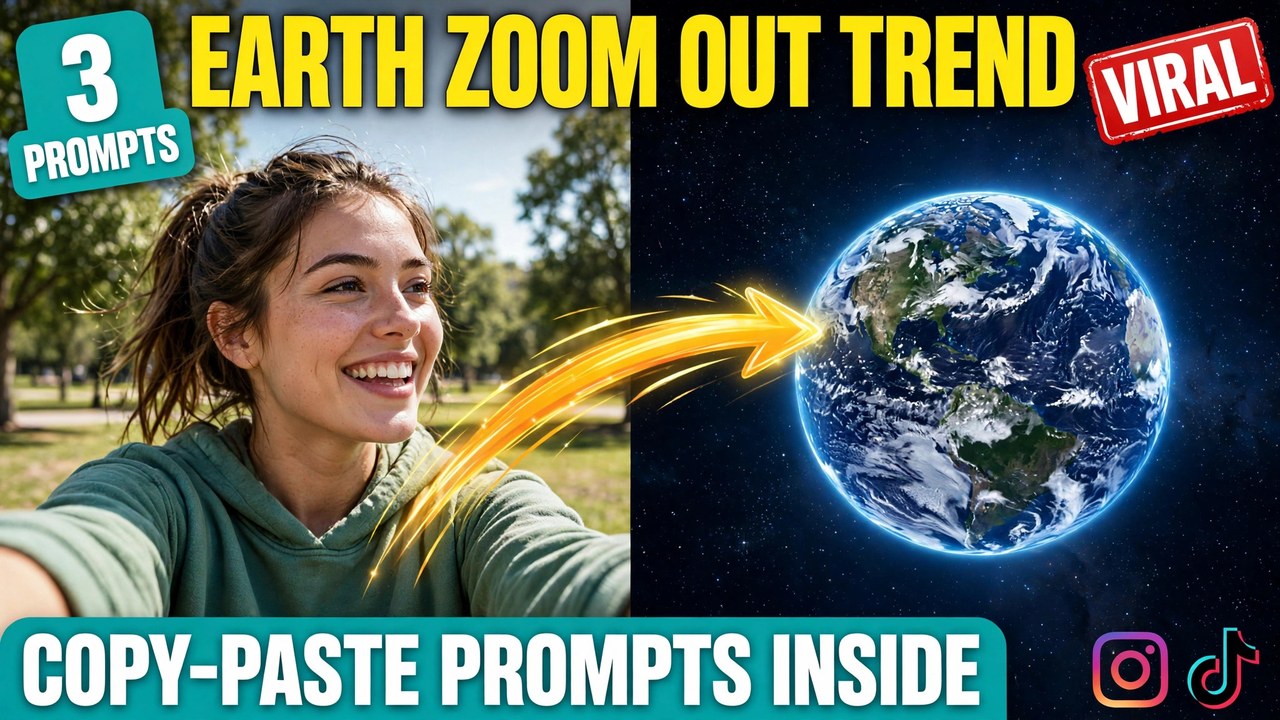
Picture this: you post a selfie. A second later, the camera starts pulling back. First your street shrinks away, then your whole neighbourhood, then the clouds, then the curve of the atmosphere — until the video ends with the entire planet floating in black space, and the face the video started on is just one tiny person on it.
That single shot is the earth zoom out — one of the biggest AI video formats of the year, with #EarthZoomOut clearing 1.2 billion views and the idea pulling in roughly 250,000 searches a month. It works because it is not a joke, a sound, or a filter. It is a camera move, and a camera move works anywhere: as the hook of a reel, as a transition between two clips, or as the closing shot of a travel video.
Below are three original prompts you can copy and paste — the classic daytime version, a night-city version, and a golden-hour version. Each one comes with a demo video first, so you can see exactly what the prompt produces before you use it.
A quick note so this doesn’t get confused with an older post: my Bullet Time post was about a frozen moment with the camera orbiting around you. This one is the opposite. Nothing freezes. The camera never stops. It pulls back in one continuous move, from your face all the way to space.
What Is This Effect?
The idea is simple, which is why it caught on so fast. You start with a single photo of yourself. The AI turns that photo into a short video where the camera pulls back without a single cut — off the ground, over the rooftops, through the clouds, past the atmosphere — until the whole planet hangs in space. One shot, one smooth move, start to finish.
So why is the earth zoom out spreading so fast? Two reasons. First, the scale contrast is satisfying to watch — a face becoming a street becoming a city becoming a planet, in seconds. Second, anyone can make one. You do not need acting skills, a costume, or a location. One decent selfie and one good prompt are enough, and the prompts below give you exactly that.
How to Make Your Own
Pick a good starting photo. Front-facing, face clearly visible, decent lighting, and a background with some depth — a park, a street, a field. A flat white wall gives the AI nothing to pull back through, so the shot feels empty. A real location gives it layers to reveal.
Open any image-to-video AI tool. Google Flow, Runway, Kling, Luma, Pika, or a similar tool — the prompts below work with all of them. Upload your photo before pasting the prompt, or the face will not stay consistent.
Copy one of the prompts below and paste it in. Each one spells out the starting scene, the stages of the pull-back, and the ending in space, so the AI does not have to guess the journey. The words “one unbroken shot” and “no cuts” matter — keep them in.
Generate two or three versions and pick the best. The first try sometimes rushes the pull-back or skips a stage. Once you have a version you like, add music that swells as the planet appears — sound makes the scale feel ten times bigger.
Prompt 1: The Classic Pull-Back
The original viral shot. A daytime selfie in a park, then one smooth pull-back through trees, rooftops, and clouds until the whole planet hangs in space. This is the version that started the wave.
Using AI video generation, create a photorealistic cinematic vertical video (9:16) of one continuous pull-back shot, based on the uploaded reference photo.

The shot: start on a close-up selfie of the person from the reference photo, smiling at the camera in a sunny park with green trees behind them. Keep their face, facial features, and hairstyle exactly as in the reference photo.

The pull-back: the camera pulls back smoothly and continuously in one unbroken shot, with no cuts. It rises above the trees, then over the rooftops of the neighbourhood, then through white clouds, then past the curve of the atmosphere. The shot ends with the whole Earth hanging in black space, blue oceans and swirling clouds visible, surrounded by faint stars.

Style: photorealistic, smooth cinematic camera movement, natural daylight, ultra-detailed. Vertical 9:16. One unbroken shot, no cuts, no scene changes. No text overlays, no watermarks.
The pull-back speed is everything here. If the camera rushes, the shot feels like a jump cut and the scale trick is lost. If it crawls, viewers swipe away. The sweet spot is a steady, confident pull-back that reaches space in about five to eight seconds.
Prompt 2: City Lights to Space
The night version. A person on a glowing city street, then the camera rises above neon signs and headlights until the city becomes a web of light — and then a planet at night, glowing from orbit. This one gets saved the most.
Using AI video generation, create a photorealistic cinematic vertical video (9:16) of one continuous night-time pull-back shot, based on the uploaded reference photo.

The shot: start on a close-up selfie of the person from the reference photo, smiling at the camera on a city street at night, neon signs and shop lights glowing behind them. Keep their face, facial features, and hairstyle exactly as in the reference photo.

The pull-back: the camera pulls back smoothly and continuously in one unbroken shot, with no cuts. It rises above the glowing streets, then over the city as the streets become rivers of light, then through dark clouds, then past the atmosphere. The shot ends with the whole Earth at night hanging in space, city lights glowing across the dark side, surrounded by stars.

Style: photorealistic, cinematic night lighting, glowing neon and streetlights, ultra-detailed. Vertical 9:16. One unbroken shot, no cuts, no scene changes. No text overlays, no watermarks.
Night hides small imperfections the way darkness always does. If your daytime attempts look slightly off, try this version first — the glowing lights carry the shot, and the final view of a planet at night is the most dramatic ending of the three.
Prompt 3: The Golden Hour Pull-Back
The sunset version. A person standing in a golden field, warm orange light everywhere, then the camera rises over glowing fields and orange clouds until the planet appears, lit by the setting sun. This is the prettiest of the three.
Using AI video generation, create a photorealistic cinematic vertical video (9:16) of one continuous golden-hour pull-back shot, based on the uploaded reference photo.

The shot: start on a close-up selfie of the person from the reference photo, smiling at the camera in a golden field at sunset, warm orange light across their face and tall grass glowing behind them. Keep their face, facial features, and hairstyle exactly as in the reference photo.

The pull-back: the camera pulls back smoothly and continuously in one unbroken shot, with no cuts. It rises over the glowing golden fields, then above orange clouds lit by the setting sun, then through the atmosphere. The shot ends with the whole Earth glowing at dusk from orbit, one side warm with sunset light and the other falling into night, surrounded by stars.

Style: photorealistic, warm golden-hour lighting, cinematic sunset colours, ultra-detailed. Vertical 9:16. One unbroken shot, no cuts, no scene changes. No text overlays, no watermarks.
Golden hour is the most forgiving light there is. Warm tones flatter every face, and the orange-to-dark gradient at the end makes the planet look genuinely beautiful. If you only make one version, make this one.
3 Mistakes That Ruin the Shot
Letting the AI cut instead of pulling back. The most common failure is a video that jumps — face, then city, then space — with hard cuts in between. That is not the effect. The whole point is one continuous move. The words “one unbroken shot” and “no cuts” are in every prompt above for a reason. Keep them in.
Starting with a busy or dark photo. If the starting photo is cluttered, blurry, or shot in poor light, the AI struggles to find you, and the face drifts as the camera pulls back. A sharp, front-facing, well-lit photo with a clear background fixes most problems before they start.
Pulling back too fast. When the camera rushes to space in two seconds, there is no sense of scale — the viewer never feels the journey. The magic is the slow build: street, neighbourhood, clouds, atmosphere, planet. If your first attempt feels rushed, regenerate and ask for a slower, steadier pull-back.
A Few Tips That Actually Help
Use it as a hook. The first three seconds decide whether someone keeps watching. Opening a reel with your face and letting the camera pull away is one of the strongest hooks on the platform right now, because the viewer stays to see where the shot ends.
Land your caption when the planet appears. Time your on-screen text to arrive at the moment the Earth comes into view — a place name, a punchline, a “this is where I live” line. Text that appears too early fights the shot; text that lands on the planet feels like a payoff.
Try different starting locations. A beach, a rooftop, a mountain trail, a busy market — each one gives the pull-back a different texture. The prompts above use a park, a city street, and a field, but the same structure works anywhere with depth.
Do not skip the sound. A track that starts quiet and swells as the planet appears turns a good clip into a cinematic one. Search “epic swell” or “cinematic build” in the Reels audio browser and match the peak to the moment space appears.
Post the three as a series. Daytime, night city, golden hour — three videos, three days, one series. Series accounts tend to grow faster because people follow to catch the next part. Drop a hint about the next part in each caption.
Frequently Asked Questions
What is this effect, exactly?
It is a camera move: one continuous pull-back that starts on your face and ends with the whole planet in space, with no cuts in between. The prompts in this post give you the exact starting scene, pull-back stages, and ending.
Which AI tool makes these videos?
Any image-to-video tool works — Google Flow, Runway, Kling, Luma, Pika, and similar tools. The prompts above are tool-agnostic. Start on a free tier, make a test video, and only think about a paid plan if you like the results.
Do I need a video or a photo to start?
A photo is enough. Upload one clear selfie, paste the prompt, and the tool generates the whole pull-back. A short starting video can work too, but a sharp photo gives the most consistent results.
Why does my video cut instead of pulling back?
Usually the prompt was missing the “one unbroken shot” and “no cuts” direction, or the tool defaulted to scene changes. Paste the full prompt as written — those two phrases are what keep the camera moving in one shot.
Is this the same as Bullet Time?
No. Bullet Time freezes a moment and orbits around you while the world stands still. This is the opposite — nothing freezes, and the camera travels in one long pull-back from your face to space. Different move, different result.
Is it okay to use someone else’s photo?
No — always use your own photo. Putting someone else’s face into a transformation video without permission is a deepfake problem, and platforms remove such content. Your face, your fun.
How long does it take to generate one video?
It depends on the tool — usually 2 to 10 minutes. Keep your prompt and photo ready, so apart from generation time your actual work is about five minutes. For the best result, generate two or three versions and post the strongest one.
Final Words
The formula is simple: one face, one pull-back, one planet. If you want to try the earth zoom out yourself, pick a prompt above, upload your photo, and make your video today.
And if you like cinematic formats, check out my Bullet Time and AI Video Prompts for Reels posts too — the trending collection gets a new format every week. If you want to read more about AI video tools, this Google Flow guide is useful.
About Pinky Chouhan
Hey, my name is Pinky Chouhan, and I live in India. I am passionate about discovering new AI trends, AI video tools, and social media content ideas. I also have experience in video and photo editing using tools like CapCut, Adobe, InShot, and VN. Over time, I have worked on many editing projects and enjoy experimenting with new creative techniques and AI-powered tools. I regularly share the latest AI trends, video prompts, and creative ideas on The Prompt Master. My goal is to provide simple and practical prompts that anyone can use to create engaging AI videos. Most of the prompts published on this website are designed to be easy to use. You can simply copy a prompt, paste it into Google Flow or a compatible AI video tool, and start creating your video. I will continue sharing new AI trends, useful prompts, editing tips, and creative ideas to help creators make better content and stay updated with the fast-changing world of AI.