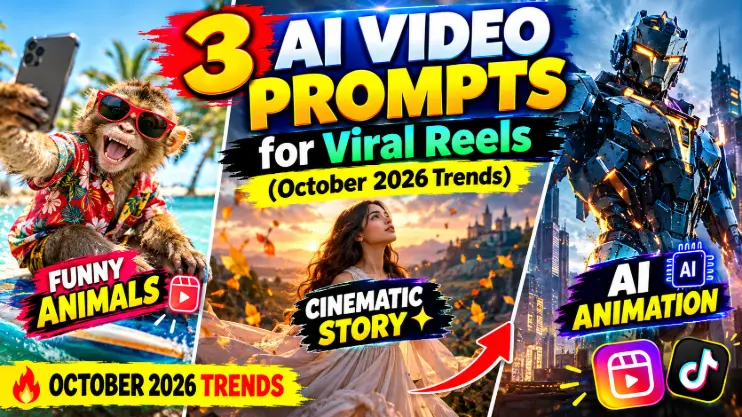
Photo trends are everywhere, but let’s be honest — reels are where the real reach is. And October 2026 has given us some of the most fun reel formats in months: people filming themselves stuck to ceilings, cozy fall montages taking over the cozy corner of Instagram, and disco transformations that turn an ordinary outfit check into pure Saturday-night energy. New to the format? Hootsuite’s guide to Instagram Reels best practices is a solid primer on what makes reels perform.
Here’s the thing most people miss: you don’t need a perfect filming setup to ride these trends anymore. AI video prompts can generate the entire clip from a single photo — the camera moves, the lighting shifts, the vibe lands — and you just add the trending audio on top. I’ve been testing this workflow all week, and the three prompts below are built specifically for October 2026’s biggest reel trends.
Each prompt tells the AI exactly what to generate: the shot, the movement, the mood. Copy, paste, upload your photo, and pair it with the trending sound mentioned under each prompt.
What Are October 2026’s Viral Reel Trends?
Three formats are dominating right now. The ceiling flip trend (inspired by that famous upside-down animated scene everyone’s lip-syncing) rewards a wild camera angle — you, filmed from below, as if gravity forgot about you. The cozy fall montage is October’s annual comfort blanket: warm leaves, soft light, slow moments, set to autumn trending audio. And the disco transformation is pure joy — a beat drops, the lights change, and an ordinary look becomes a full disco outfit reveal.
All three are perfect for AI video generation because they’re about camera magic, not acting skills. Let’s turn your photo into each one.
How to Use These AI Video Prompts
Step 1: Pick a clear, well-lit photo of yourself. Full-body or half-body works best for video prompts since the AI needs room to move the “camera.”
Step 2: Open an AI video tool that accepts image uploads — Google Flow, Runway, Pika, or similar.
Step 3: Upload your photo, paste the prompt, and generate. Keep your face-preservation expectations realistic: AI video keeps identity well in short clips, but generate twice and pick the best take.
Step 4: Add the trending audio in Instagram/TikTok, trim to under 10 seconds, and post while the trend is still rising — timing is everything with reels.
Prompt 1: The Upside-Down Ceiling Flip
This is the wildest camera angle on reels right now — you, seemingly stuck to the ceiling, filmed from below, cool as anything. Doing it for real means bracing yourself against walls and hoping your phone doesn’t fall on your face. Doing it with AI means uploading one photo and letting the prompt do the gymnastics.
Pair it with: the viral upside-down lip-sync audio everyone’s using this month.
Using my uploaded photo as the main character, generate a highly realistic cinematic vertical video (9:16). Keep my face, hairstyle, skin tone, and identity exactly unchanged.
Scene: I am playfully stuck to the ceiling of a modern room, body horizontal, hanging upside down as if gravity reversed — relaxed, confident, slightly smirking at the camera. The camera films me from directly below in a slow, smooth upward push-in, like a dramatic movie reveal.
Details: realistic room interior (ceiling lamp, walls, furniture now “above” me on the floor of the frame), natural fabric draping affected by reversed gravity, subtle hair movement, realistic shadows on the ceiling, shallow depth of field. Cinematic lighting, smooth slow motion feel, 8 seconds long. No text overlays, no watermarks.
My tip: The comedy sells this trend — add a deadpan expression. The contrast between the absurd situation and your total calm is what makes people rewatch it.
Prompt 2: The Cozy Fall Montage
Every October, Instagram gets cozy — and this year’s fall montage trend is bigger than ever, riding autumn trending audio. Golden leaves, warm sweaters, steam rising from coffee cups: it’s comfort content, and comfort content gets saved and shared. This prompt turns one photo of you into a whole cinematic autumn sequence.
Pair it with: the trending autumn sounds carrying fall montages this month (“Autumn Colors” style cozy audio).
Using my uploaded photo as the main character, generate a warm cinematic vertical video (9:16). Keep my face, hairstyle, skin tone, and identity exactly unchanged.
Sequence (one continuous dreamy flow): open on a close-up of golden autumn leaves drifting past the lens, then reveal me walking slowly through a sunlit park path covered in fallen leaves, wearing a cozy oversized sweater, holding a steaming cup of coffee. The camera drifts around me in slow, floating movements — leaves swirling gently in the air.
Details: golden-hour October light filtering through orange and red foliage, soft lens flares, shallow depth of field, film-like warmth, gentle slow motion, peaceful nostalgic mood. 10 seconds long. No text overlays, no watermarks.
My tip: Fall montages perform best as the first seasonal post on your profile — be early in October and the algorithm rewards you for starting the wave, not joining it.
Prompt 3: The Disco Outfit Transformation
The transformation reel will never die — it just changes its soundtrack. Right now it’s disco: a beat drops, the lights explode into color, and an everyday outfit becomes full Saturday-night fever. This prompt builds the entire transformation in one AI clip, no quick-change editing needed.
Pair it with: the trending disco sounds powering transformation reels this month (“Funkytown”/”Upside Down” style tracks).
Using my uploaded photo as the main character, generate a high-energy cinematic vertical video (9:16). Keep my face, hairstyle, skin tone, and identity exactly unchanged.
Scene: I stand in a dim room in casual everyday clothes. On the beat drop, the room erupts — spinning disco ball light, magenta and gold strobes sweeping across the frame — and my outfit transforms mid-spin into a dazzling 70s disco look: sequined jacket, flared pants, confident superstar pose. The camera whips around me in a fast 360-degree spin exactly on the beat, then settles into a slow-motion hero shot as I point finger-guns at the lens with a grin.
Details: realistic light reflections on sequins, motion blur on the spin, volumetric disco lighting, crowd-free club atmosphere, electric joyful energy. 8 seconds long, transformation timed to feel like one musical beat. No text overlays, no watermarks.
My tip: Time your audio’s beat drop to the exact transformation frame — even a half-second mismatch kills the magic. Most editing apps let you nudge the audio by frames; use that.
5 Tips to Make Your AI Reels Go Viral
1. Post while the audio is rising, not peaking. Reels using a sound before it peaks get algorithmic favor. If 200,000 reels already use it, you’re late — find the next rising sound.
2. Keep it under 10 seconds. All three trends here work best short. Watch time percentage beats total length every time.
3. Hook in the first second. Start the video on the surprising frame — upside down, mid-transformation, leaves already falling. No slow build-ups.
4. Generate twice, post once. AI video identity drifts more than AI photos. Two generations, pick the one where your face holds up best in motion.
5. Cross-post the format. A reel that works on Instagram usually works on TikTok and YouTube Shorts too — same clip, three audiences. My car driving AI video post covers the same multi-platform trick.
FAQs About AI Video Prompts for Reels
Which AI tool is best for image-to-video reels?
Google Flow, Runway, and Pika all handle image-to-video well — upload your photo, paste the prompt, and generate. The prompts above are tool-agnostic, written to work across all major AI video generators.
How long should my AI reel be?
Under 10 seconds for trend formats. The algorithm rewards completion rate, and these trends (ceiling flip, montage, transformation) all land their punch fast.
Will people know my reel is AI-generated?
Honestly? Some will guess — and that’s fine. AI-generated reels are a recognized format now, not a trick. The trend is the star; AI is just your camera crew.
Can I use my own trending audio with these?
Absolutely — that’s the recommended workflow. Generate the video muted, then add the trending sound inside Instagram or TikTok so it links to the official audio page, which boosts discoverability.
Final Words: Ride the October Wave
Trends move fast and October 2026’s reel trends won’t wait — the ceiling flip is peaking, fall montages are just warming up, and disco is forever. The creators winning right now aren’t the ones with the best cameras; they’re the ones who post first. AI video prompts just removed every excuse about gear, location, or filming skills.
Start with the trend that fits your vibe, generate tonight, post tomorrow morning. And if video is your thing, my luxury car driving AI video trend post is still going strong. New here? I turn every viral trend into copy-paste prompts — browse the trending collection so you never miss the next wave.
About Pinky Chouhan
Hey, my name is Pinky Chouhan, and I live in India. I am passionate about discovering new AI trends, AI video tools, and social media content ideas. I also have experience in video and photo editing using tools like CapCut, Adobe, InShot, and VN. Over time, I have worked on many editing projects and enjoy experimenting with new creative techniques and AI-powered tools. I regularly share the latest AI trends, video prompts, and creative ideas on The Prompt Master. My goal is to provide simple and practical prompts that anyone can use to create engaging AI videos. Most of the prompts published on this website are designed to be easy to use. You can simply copy a prompt, paste it into Google Flow or a compatible AI video tool, and start creating your video. I will continue sharing new AI trends, useful prompts, editing tips, and creative ideas to help creators make better content and stay updated with the fast-changing world of AI.