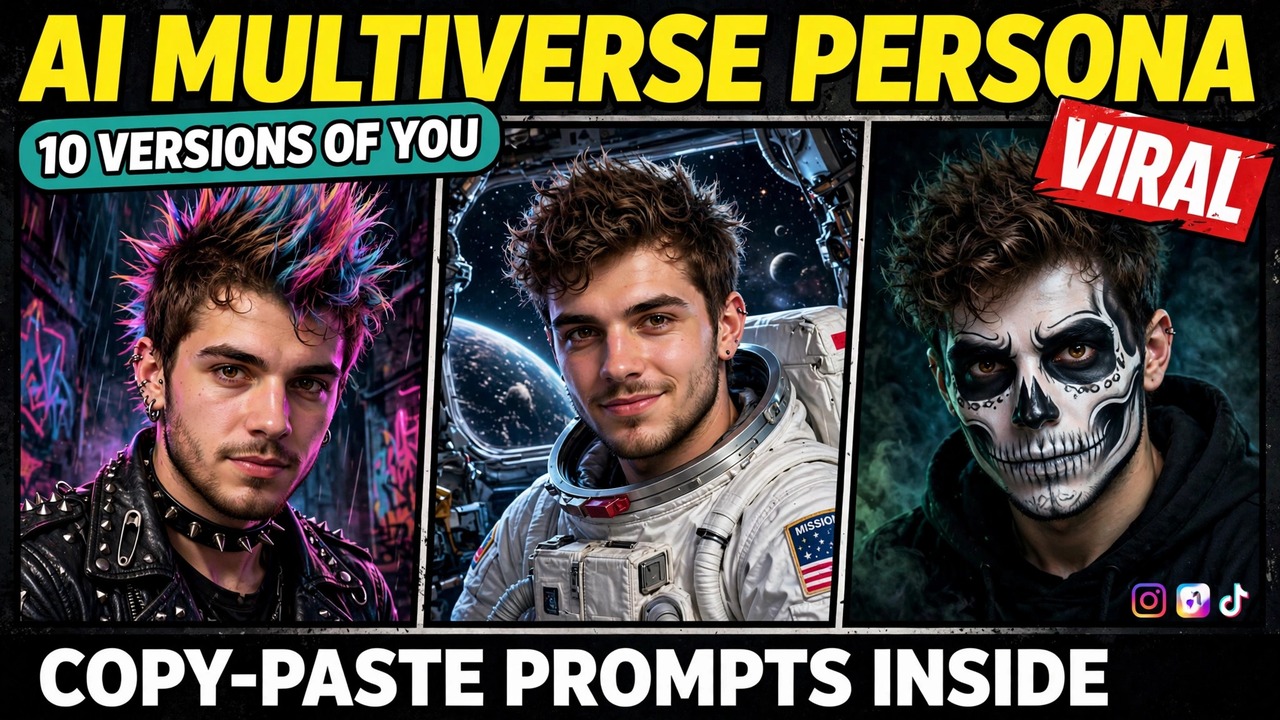
Imagine opening your feed and seeing the same person ten times in a row — same face, same pose, same background — but every version is someone completely different. A metalhead. A punk. A clown. An astronaut. A pop star holding a microphone. You swipe through the carousel, and each slide makes you smile a little wider.
That is the ai multiverse persona trend, and it blew up this week when an Instagram carousel showing exactly that pulled in 31K likes and over 1,100 comments. The idea is simple: one selfie becomes ten alternate versions of you, all lined up in a single carousel. Below are three original prompts that recreate the effect from scratch, each with a result image first so you can see exactly what the prompt produces.
A quick note so this doesn’t get confused with older posts: my AI Photo Styles post was about changing the style of a photo — different lighting, different eras, different moods. This one is different. Here, the pose and background stay exactly the same while the identity changes. And my Hug My Younger Self post showed two versions of you interacting in one frame. This format goes much further: ten personas, one carousel, one face.
What Is This Format?
The format is a carousel — usually ten slides — built from a single selfie. The pose, the framing, and the background stay identical in every slide. Only the persona changes: the outfit, the hair, the makeup, the accessories. Because everything else stays fixed, your brain reads all ten slides as the same person living ten different lives, and that contrast is what makes people stop scrolling.
Why is it spreading so fast? Three reasons. First, it is endlessly personal — nobody else’s carousel looks like yours. Second, it is a conversation starter — friends tag each other and argue about which version fits best. Third, it is easy. You need one good selfie and one prompt, and the AI does the rest. That simple rule — same face, new identity — is what makes the ai multiverse persona format so shareable. The prompts below cover the full carousel, a two-personality split frame, and a cinematic fantasy trio.
How to Make Your Own
Start with a clean, front-facing selfie. Face clearly visible, decent lighting, plain background, no sunglasses, no hand covering your face. This photo becomes the anchor for every persona. The cleaner it is, the more consistent the results.
Open any AI image tool. The prompts below are tool-agnostic — they work with any image generator that accepts a reference photo. Upload your selfie first, then paste the prompt, so the tool has a face to hold steady.
Ask for the full set in one generation. For the carousel, generate all ten panels as one image. Ten separate generations will never agree on a face. One generation with one face reference keeps everything consistent.
Pick your personas before you generate. The strongest carousels mix categories: one music look, one fantasy look, one funny look, one dramatic look. The prompts below give you a ready-made mix, but feel free to swap in personas that fit your personality.
Prompt 1: The Multiverse Carousel
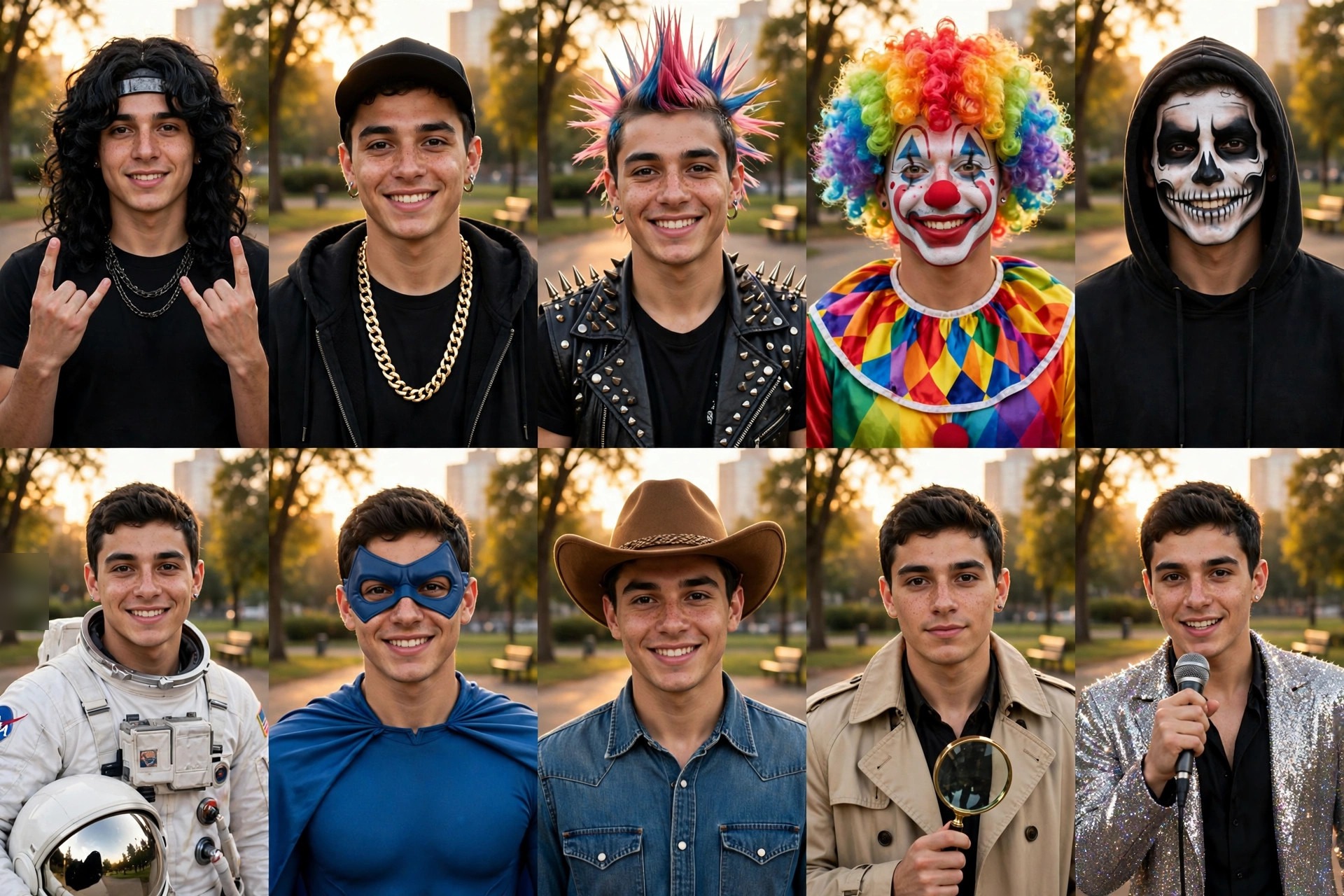
The original viral format. Ten panels, same pose, same park background, same face — ten completely different people. This is the version that racked up the likes, and it is the one your friends will swipe through to the end.
Using AI image generation, create a 10-panel carousel grid (2 rows of 5 panels) based on the uploaded reference photo.

Rules for every panel: keep the exact same face, facial features, and hairstyle base as the reference photo. Keep the exact same pose — standing, facing the camera, slight smile. Keep the exact same background — a city park in warm golden-hour light. Only the persona changes.

The ten personas, left to right, top row then bottom row:
1. Metalhead — long dark wig, plain black rock band t-shirt, rock horns gesture.
2. Hip-hop style — backwards cap, gold chains, black hoodie.
3. Punk — colorful mohawk, spiked leather vest.
4. Clown — rainbow curly wig, colorful face paint, patterned collar.
5. Skeleton face paint — black hoodie, white-and-black skull face paint.
6. Astronaut — plain white spacesuit, helmet tucked under one arm.
7. Superhero — plain blue cape costume with a simple eye mask.
8. Cowboy — brown hat, denim shirt.
9. Detective — beige trench coat, holding a magnifying glass.
10. Pop star — glittery jacket, holding a microphone.

Style: photorealistic, consistent face and pose across all panels, warm natural light. No text, no watermarks, no logos.
Worth knowing before you run it: the face is the hard part. If one panel drifts — a different nose, different eyes — regenerate the whole grid rather than fixing one panel. The grid only works when every slide is unmistakably you.
Prompt 2: The Opposite Self
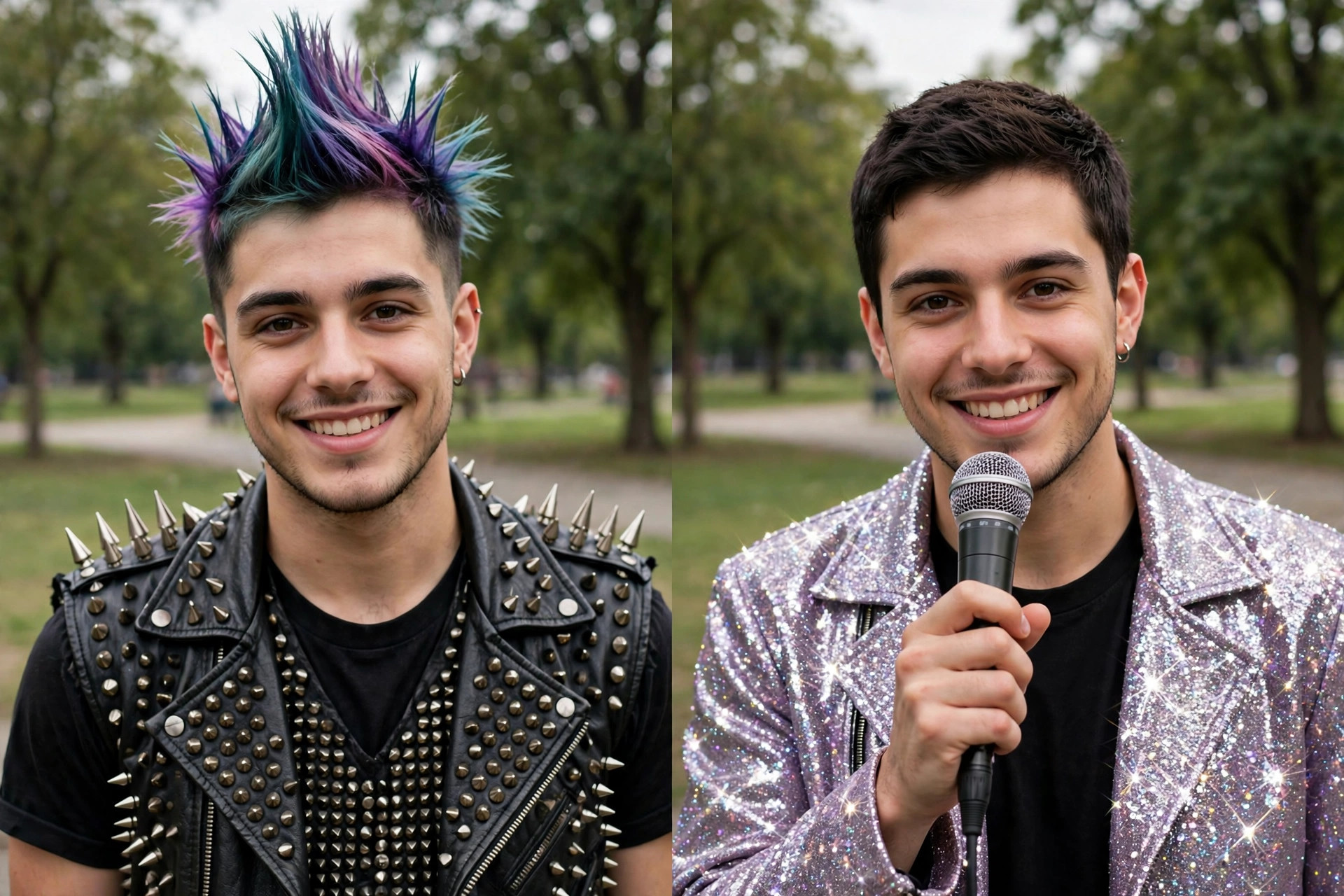
The two-personality version. Punk on one side, pop star on the other — same face, same background, completely opposite energy. This one works beautifully as a single post, a profile picture, or the cover slide of your carousel.
Using AI image generation, create a split-frame photo based on the uploaded reference photo.

The frame is split into two equal halves, side by side, with the exact same person in both. Keep the exact same face, facial features, and smile in both halves. Keep the exact same background — a green park with soft daylight.

Left half: punk persona — colorful spiked mohawk, spiked leather vest over a plain black t-shirt.
Right half: pop star persona — glittery silver jacket over a plain black t-shirt, holding a microphone.

Style: photorealistic, sharp detail, natural daylight. No text, no watermarks, no logos.
Why this one lands: contrast does the work. Two opposites side by side make people pause and compare, and comparison is what gets comments. “Which one is really you?” is the comment this image invites.
Prompt 3: The Fantasy Self
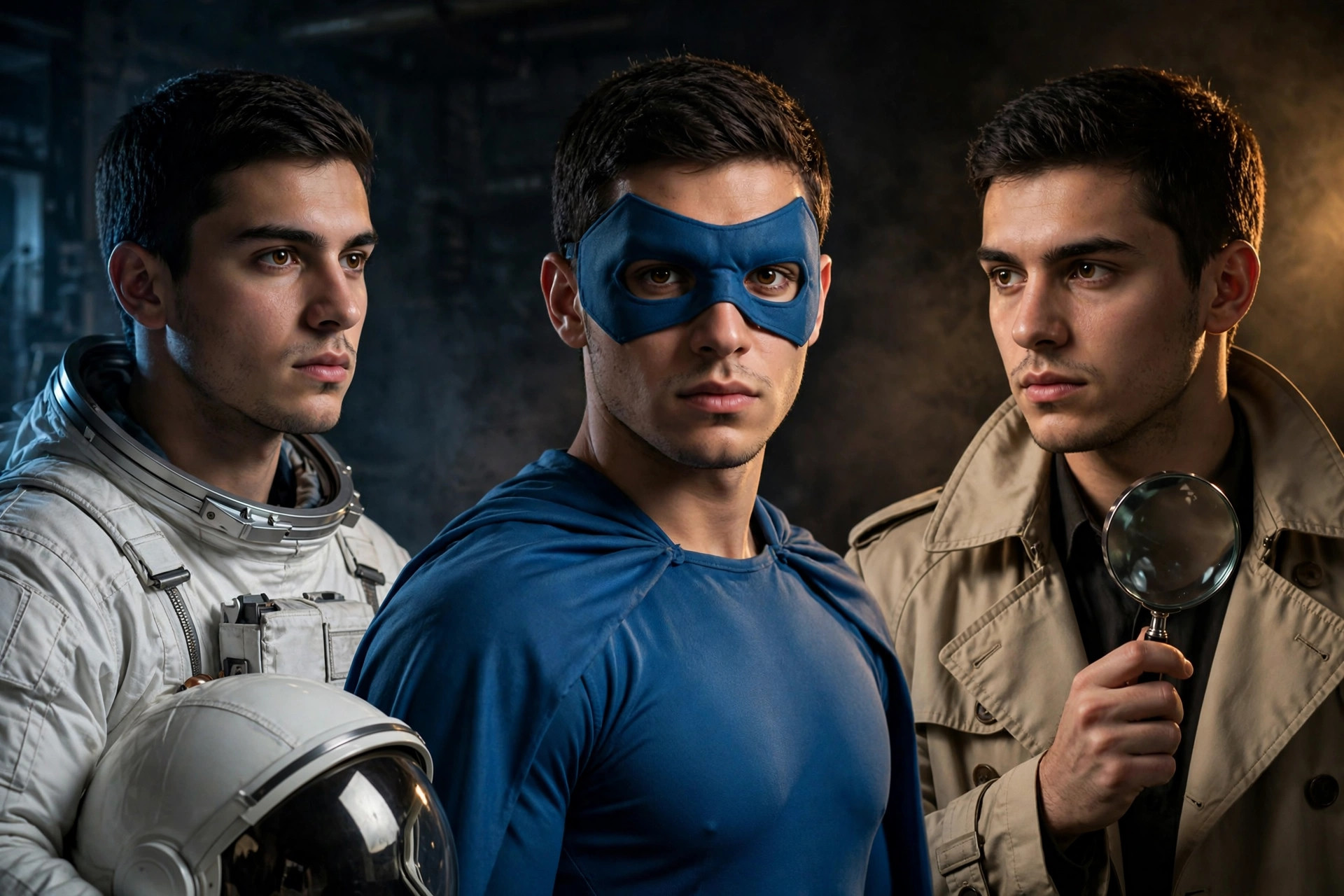
The cinematic one. Astronaut, superhero, and detective standing shoulder to shoulder, dramatic lighting, movie-poster energy. This is the version that feels most like a film still — and the one most likely to end up as someone’s wallpaper.
Using AI image generation, create a cinematic trio portrait based on the uploaded reference photo.

Three versions of the exact same person stand side by side, shoulders nearly touching, all facing the camera. Keep the exact same face, facial features, and hairstyle in all three.

Left: astronaut in a plain white spacesuit, holding a white helmet under one arm.
Center: superhero in a plain blue cape costume with a simple blue eye mask.
Right: detective in a beige trench coat, holding a magnifying glass.

Background: a dark, moody studio with dramatic side lighting — cool blue light from the left, warm amber light from the right.

Style: photorealistic, cinematic lighting, ultra-detailed, movie-poster atmosphere. No text, no watermarks, no logos.
A small detail that matters: the lighting is doing quiet work here. Two different light colors from two sides keep the three figures from blending into one flat image. If your result looks flat, ask for stronger side lighting before you change anything else.
3 Mistakes That Ruin the Carousel
Using a photo with sunglasses or a turned head. The AI builds every persona from your reference photo. If your eyes are hidden or your head is turned, the face drifts across panels and the carousel falls apart. A straight-on, well-lit, bare-faced selfie fixes most problems before they start.
Generating each persona separately. Ten separate generations will give you ten slightly different faces. The whole magic of the format is one face, ten lives. Generate the full grid in one go, every time.
Picking personas that embarrass someone else. Keep it to fun identities. Religious figures, real celebrities, and body-shaming versions are not jokes — they get your post reported and they make you look careless. There are plenty of great personas that offend nobody.
A Few Tips That Actually Help
Mix categories, not just colors. A carousel of ten slightly different outfits is boring. A carousel with a musician, an astronaut, a detective, and a clown is a story. Aim for variety in what the personas do, not just what they wear.
Order matters. Put your strongest or funniest persona first — that slide decides whether people swipe. Put your second-strongest last, so the carousel ends on a high. The middle can carry the quieter ones.
Caption each slide. A one-line caption under each persona (“Universe 3: the one who became a detective”) turns a grid into a story. People read captions, and reading keeps them on your post longer.
Use your own photo only. Putting someone else’s face into ten alternate identities without permission is a deepfake problem, and platforms remove such content. Your face, your multiverse.
Post the split frame first if you are unsure. A full ten-panel carousel is a bigger commitment. Try the two-personality split first, see how your audience reacts, and build the full carousel from the personas people liked most.
Frequently Asked Questions
What is this format, exactly?
It is an AI image format where one selfie becomes many alternate versions of you — same face, same pose, same background, different personas — usually arranged as a ten-slide carousel. The prompts in this post give you the exact persona list and consistency instructions.
Which AI tool makes these images?
Any image generator that accepts a reference photo works. The prompts above are tool-agnostic. Start on a free tier, make a test grid, and only think about a paid plan if you like the results.
Why does my face change between panels?
Usually the reference photo was angled, dark, or partially covered, or the personas were generated one by one. Use a sharp, front-facing, well-lit selfie and generate the full grid in a single image.
Can I use my own persona ideas?
Absolutely — swap any persona in the list for one that fits you better. Just keep the mix varied, keep the personas fun and respectful, and keep the face, pose, and background instructions untouched.
Is this the same as the AI Photo Styles post?
No. That post changed the style of a photo — lighting, era, mood. This format keeps the pose and background identical and changes the identity instead. Different idea, different result.
Is it okay to use someone else’s photo?
No — always use your own photo. Turning someone else’s face into alternate personas without permission is a deepfake problem, and platforms remove such content.
How long does it take to make a carousel?
A few minutes. Pick a good selfie, paste the prompt, and generate. Expect one or two regenerations before the face is consistent across all ten panels — that is normal.
Final Words
One selfie. Ten lives. That is the whole trick — and it is why this format is everywhere right now.
So pick a prompt above, upload your photo, and build your carousel today. And if you like transformation formats, check out my AI Photo Styles and Hug My Younger Self posts too — the trending collection gets a new format every week. If you want to read more about AI image tools, this Google Flow guide is useful.
About Pinky Chouhan
Hey, my name is Pinky Chouhan, and I live in India. I am passionate about discovering new AI trends, AI video tools, and social media content ideas. I also have experience in video and photo editing using tools like CapCut, Adobe, InShot, and VN. Over time, I have worked on many editing projects and enjoy experimenting with new creative techniques and AI-powered tools. I regularly share the latest AI trends, video prompts, and creative ideas on The Prompt Master. My goal is to provide simple and practical prompts that anyone can use to create engaging AI videos. Most of the prompts published on this website are designed to be easy to use. You can simply copy a prompt, paste it into Google Flow or a compatible AI video tool, and start creating your video. I will continue sharing new AI trends, useful prompts, editing tips, and creative ideas to help creators make better content and stay updated with the fast-changing world of AI.