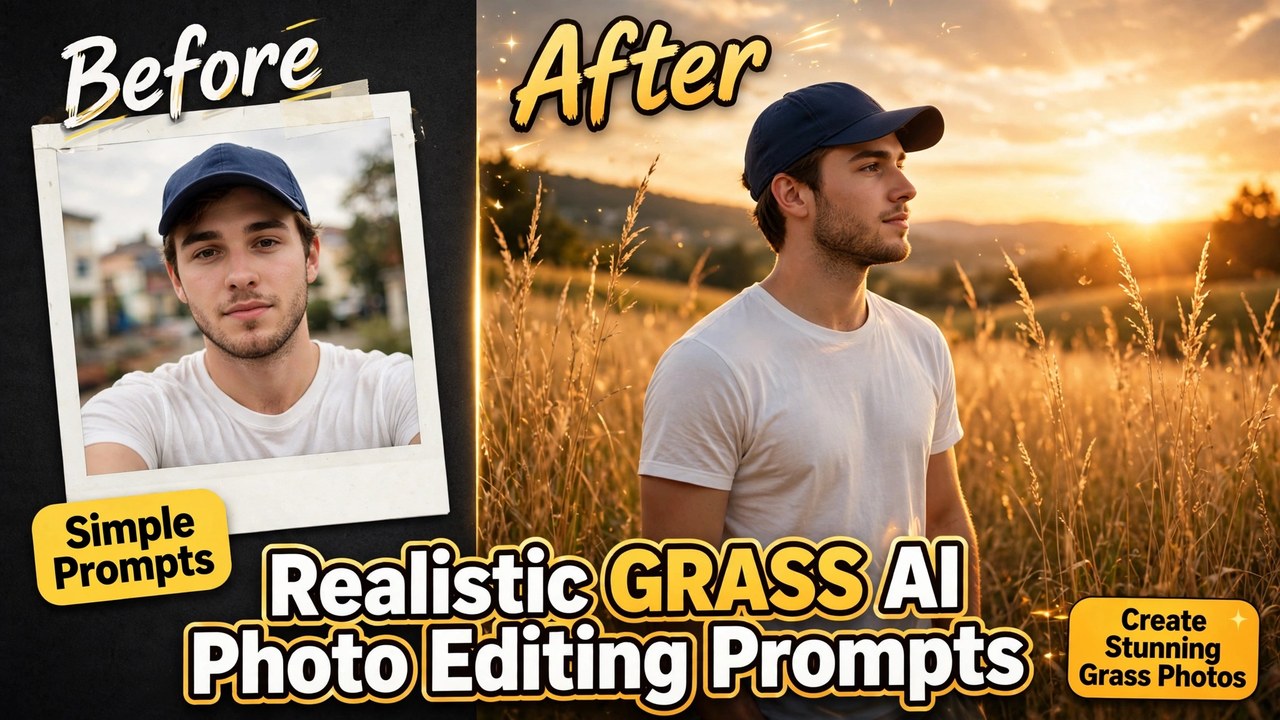
Scroll through Instagram for five minutes and you will spot them: ordinary selfies magically turned into dreamy portraits of people standing in tall golden grass fields at sunset. No photoshoot happened. Nobody travelled to a meadow. They just uploaded one photo to ChatGPT or Gemini and typed a simple prompt.
These grass AI photo editing prompts are part of a trend that has blown up because the results genuinely look like professional outdoor photography. Soft sunlight, grass swaying around you, that calm cinematic mood — all from a photo you probably took in your bedroom. Creators are posting these as profile pictures, reels covers, and WhatsApp DPs, and they keep going viral because people cannot believe no camera was involved.
Below are three grass AI photo editing prompts I have written for this trend. Each one keeps your face exactly the same while the AI rebuilds everything around you into a beautiful grass field scene. Copy the one you like, paste it with your photo, and you are done.
What You Need Before You Start
You need almost nothing for this trend, which is exactly why it spread so fast:
- One clear photo of yourself. Front-facing works best, with your face well lit and nothing covering it.
- The ChatGPT app or Google Gemini — both can edit photos from a prompt now.
- About two minutes.
That is the whole setup. No meadow required.
Prompt 1: Golden Hour Tall Grass Field
This is the classic version of the grass AI photo editing trend and the one you see most on Instagram. Warm evening light, tall golden grass all around, soft sky. It is the most forgiving style because sunset light smooths out small AI mistakes and flatters every face.
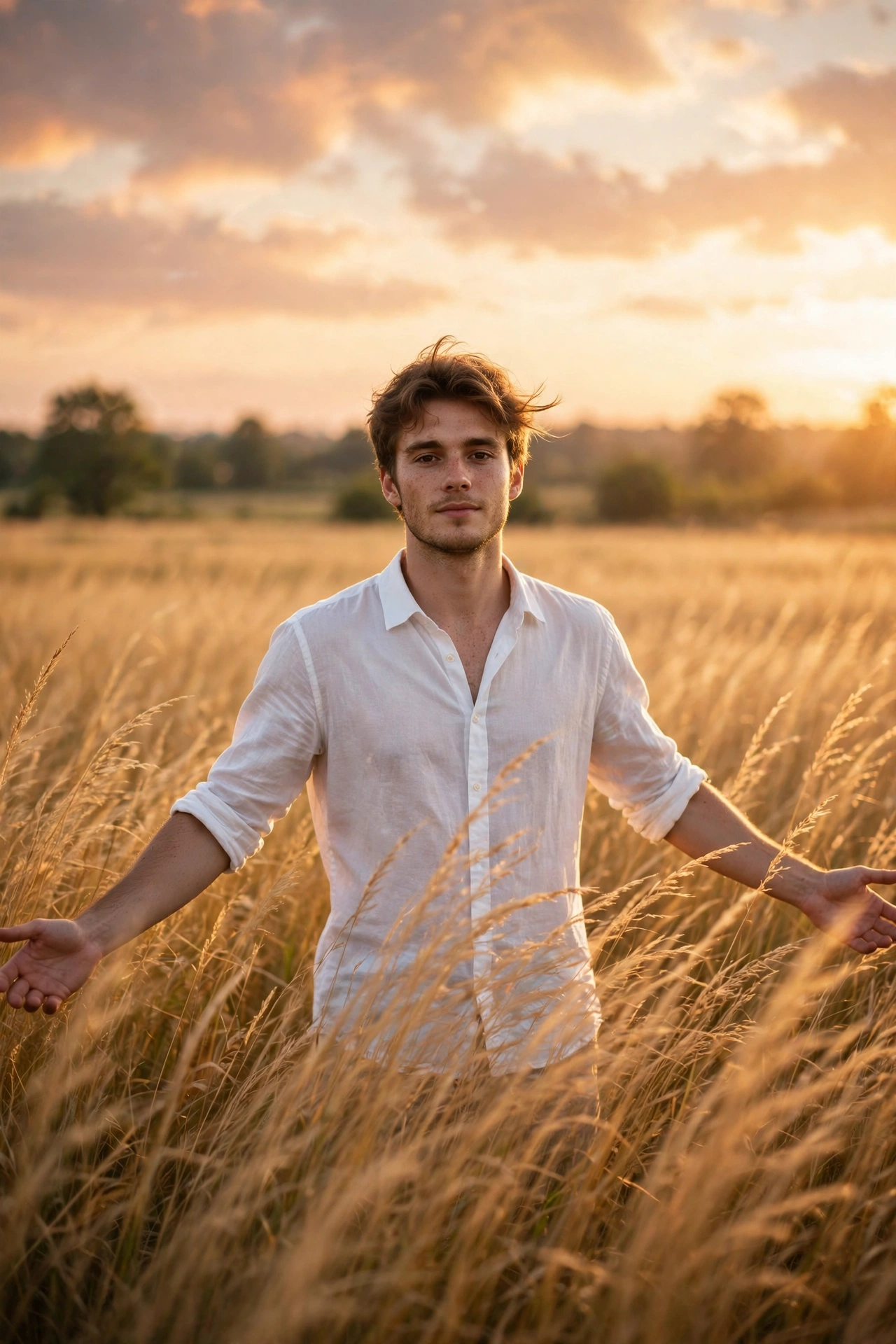
Edit my uploaded photo into an ultra-realistic outdoor portrait. Keep my face, hairstyle, skin tone and facial features exactly the same — do not change my identity. Place me standing in a vast field of tall golden grass during golden hour, arms relaxed and slightly spread. Warm sunset light glowing on my face, soft wind moving through the grass, blurred green trees far in the background, dreamy sky with soft clouds. Shallow depth of field, natural skin texture, realistic shadows, premium DSLR photography look, vertical portrait format. No text, no watermark, no extra people.
Why these grass AI photo editing prompts work so well: the prompt locks your identity in the very first line, then paints the scene around you. AI photo editors follow the order of instructions, so putting “keep my face exactly the same” first makes a real difference. If the grass looks too perfect and fake, add the words “natural wild grass, uneven” at the end and generate again.
Prompt 2: White Kash Grass Dreamy Portrait
If golden hour feels too common on your feed, the white kash grass version stands out beautifully. Tall feathery white grass, soft daylight, a calm dreamy mood — it looks like a frame from a slow romantic film and gets a lot of saves and shares.
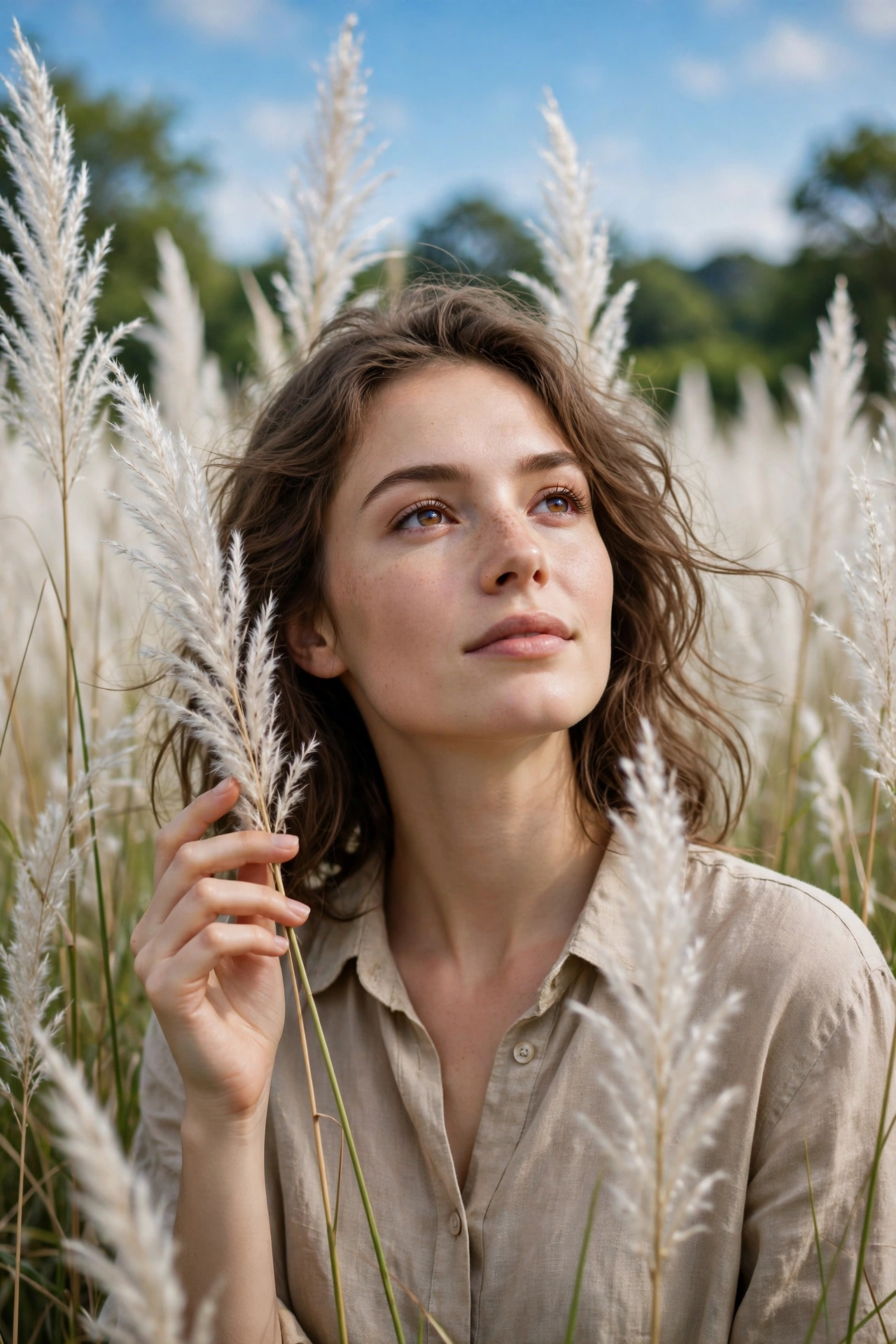
Edit my uploaded photo into an ultra-realistic dreamy portrait. Keep my face, hairstyle, skin tone and facial features exactly the same. Place me standing in the middle of a dense field of tall white kash grass with soft feathery plumes swaying gently. I am looking slightly upward with a calm expression, one hand lightly touching a grass stalk. Bright soft daylight, vivid blue sky with light clouds, distant green treeline on the horizon. Realistic grass detail all around me, natural shadows, sharp focus on my face, softly blurred background, professional outdoor photography, vertical portrait format. No text, no watermark.
A small tip for this one: white grass can sometimes wash out faces in AI edits. If your face looks too bright or flat, add “balanced exposure, natural contrast on the face” to the prompt and run it once more. Two tries is completely normal with AI photo editing.
Prompt 3: Green Meadow Forest Edge
This version feels the freshest of the three — lush green meadow grass with a forest edge behind you, shot in soft morning light. It has a calm, premium travel-photo vibe and works great as a profile picture because the green background makes faces pop.
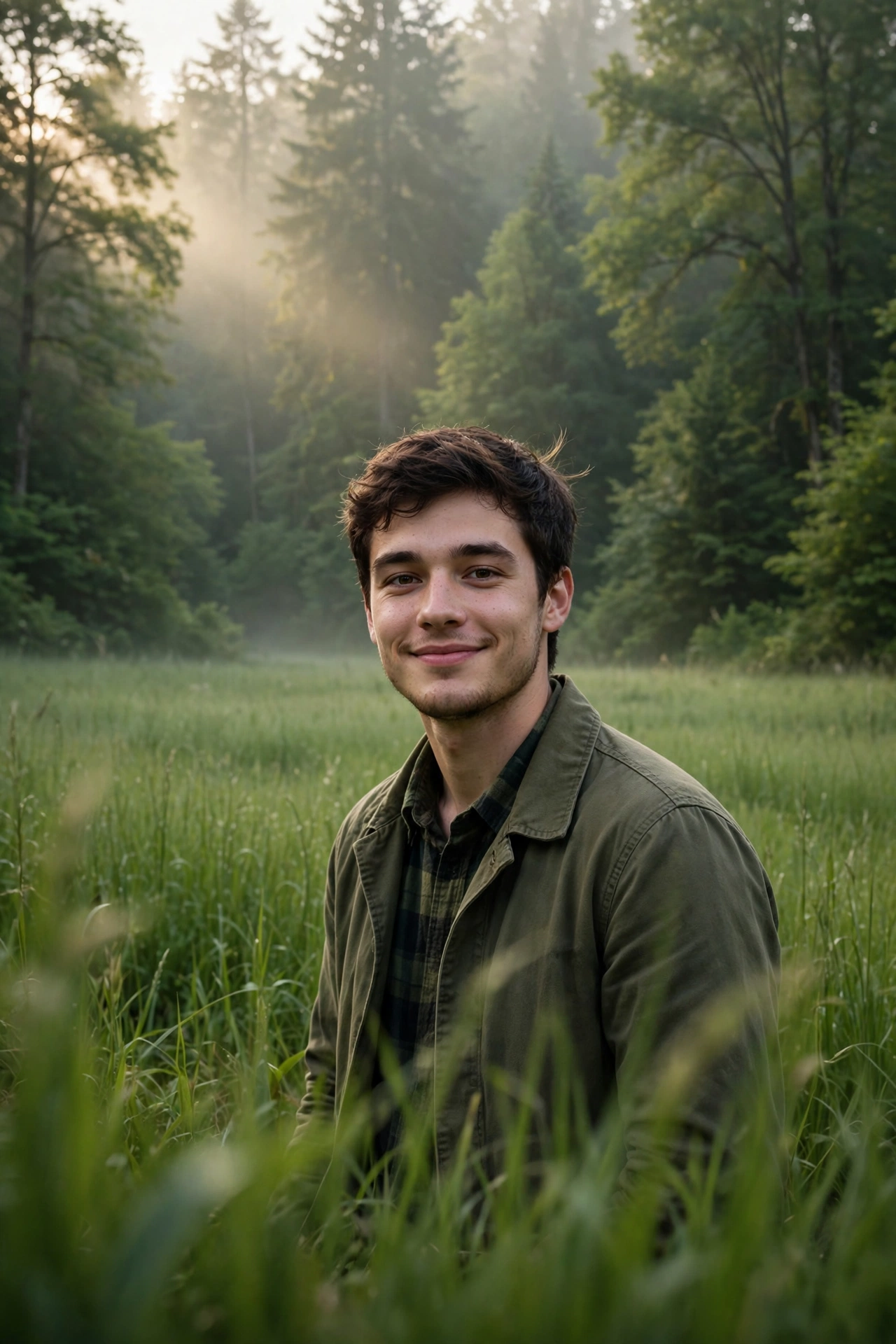
Edit my uploaded photo into an ultra-realistic nature portrait. Keep my face, hairstyle, skin tone and facial features exactly the same. Place me standing at the edge of a lush green meadow with tall fresh grass, a dense green forest right behind me. Soft morning light filtering through the trees, gentle mist in the background, a few grass blades softly out of focus in the foreground for depth. I am looking at the camera with a soft natural smile. Rich green tones, realistic skin texture, natural shadows, cinematic depth of field, professional outdoor photography, vertical portrait format. No text, no watermark.
The foreground grass blades are the secret ingredient in these grass AI photo editing prompts. Telling the AI to blur a few blades in front of the camera adds real depth, and depth is what separates a flat-looking edit from one people assume was shot on a real camera.
How to Use These Prompts (Step by Step)
- Pick the prompt you like and hit the Copy button above it.
- Open ChatGPT or Gemini and start a new chat.
- Upload your photo first, then paste the copied prompt as your message.
- Send it and wait — the edited photo usually arrives in under a minute.
- If something looks off (face changed, weird hands, odd grass), just say “keep my face exactly the same as my original photo” and ask it to try again.
Tips for Realistic Results
- Start with a sharp photo. Blurry selfies give blurry edits. A clear, well-lit photo gives the AI a strong face to preserve.
- Face the camera. Photos where you look straight at the lens transfer your identity far more accurately than side angles.
- Keep your outfit simple in the original. Busy patterns sometimes confuse the edit. The AI will keep your clothes, so plain tops give the cleanest meadow look.
- Do not switch photos between tries. Same photo plus same prompt gives the most consistent face across attempts.
- Check the hands. AI still slips up on hands occasionally. If yours look strange, crop the photo slightly tighter — portraits do not need hands anyway.
- Try both apps. The same prompt can look slightly different in ChatGPT and Gemini. If one gives you a weird result, the other often nails it.
Final Words: Try These Grass AI Photo Editing Prompts
The grass photo editing trend works because it gives everyone access to a kind of photo that used to need a photographer, a location, and perfect timing. Now it needs one selfie and a sentence. Try the golden hour prompt first — it is the most forgiving — then play with the kash grass version when you want something more artistic.
Save this page, because new variations of this trend keep appearing every week. I will keep adding fresh prompts here as people invent new styles.
About Pinky Chouhan
Hey, my name is Pinky Chouhan, and I live in India. I am passionate about discovering new AI trends, AI video tools, and social media content ideas. I also have experience in video and photo editing using tools like CapCut, Adobe, InShot, and VN. Over time, I have worked on many editing projects and enjoy experimenting with new creative techniques and AI-powered tools. I regularly share the latest AI trends, video prompts, and creative ideas on The Prompt Master. My goal is to provide simple and practical prompts that anyone can use to create engaging AI videos. Most of the prompts published on this website are designed to be easy to use. You can simply copy a prompt, paste it into Google Flow or a compatible AI video tool, and start creating your video. I will continue sharing new AI trends, useful prompts, editing tips, and creative ideas to help creators make better content and stay updated with the fast-changing world of AI.
2 thoughts on “Realistic Grass AI Photo Editing Prompts: 3 Simple Prompts for Dreamy Meadow Photos”