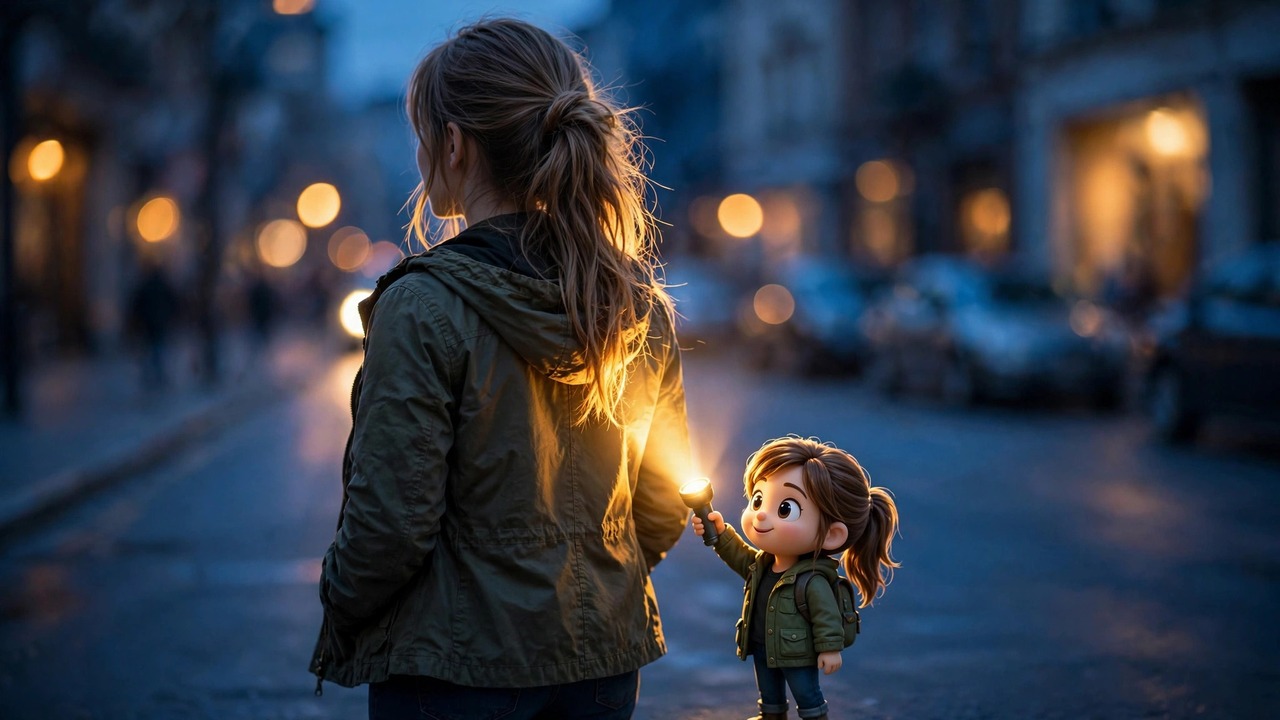
I was scrolling Instagram last night when I kept seeing the same kind of photo. Normal pictures of normal people — but every person had this gorgeous golden glow around them, like a still from a film. And then I spotted it: standing right behind each person, a tiny cartoon version of themselves, holding up a little flashlight.
I must have seen it ten times before I stopped and asked myself, okay, what is this? Turns out it has a name — the Flash Light AI photo trend — and it is all over my feed right now. Creators are posting it every day, the comments are full of people begging for the prompt, and the likes are honestly wild for something this simple.
The idea is so sweet. You upload one ordinary photo of yourself, and the AI places a mini cartoon you behind you, shining a flashlight at your back. What comes out looks like a professional backlit portrait — the kind of shot that normally needs real lighting gear and someone who knows how to use it. All from a single prompt.
I tried it myself this morning in three different styles, and I’m sharing my exact prompts below. Copy, paste, done.
What Is the Flash Light AI Photo Trend?
At its core, it’s a photo-editing prompt. You give an AI image tool your photo and ask it to add two things: a tiny 3D-cartoon version of you standing behind you, and a flashlight in its hands pointed at your back. The AI then builds realistic light around you — a warm rim of glow on your hair, shoulders and outline — so the whole photo looks like it was shot at golden hour with a film crew.
Why is everyone obsessed with it? Because the gap between effort and result is unreal. One photo, one prompt, thirty seconds — and you get a picture that looks like it took a whole evening shoot to make. That’s the whole magic of this trend.
How to Try It (Takes About 2 Minutes)
1. Pick a clear photo of yourself. Face visible, decent lighting — nothing fancy needed, a normal selfie works.
2. Open any AI image tool that can edit photos. The trend started with people using the big chatbot image tools, but any photo-editing AI works.
3. Upload your photo, paste one of the prompts below, and hit generate. If the first result looks off, run it again — the second try is often the keeper.
That’s it — the whole Flash Light AI photo trend really is this simple. Most people get a share-worthy photo on their first or second try.
3 Flash Light AI Photo Prompts (Copy-Paste Ready)
Here are the three I tested. Each one gives a different mood. The image comes first so you can see what to expect, then the prompt with a one-tap copy button.
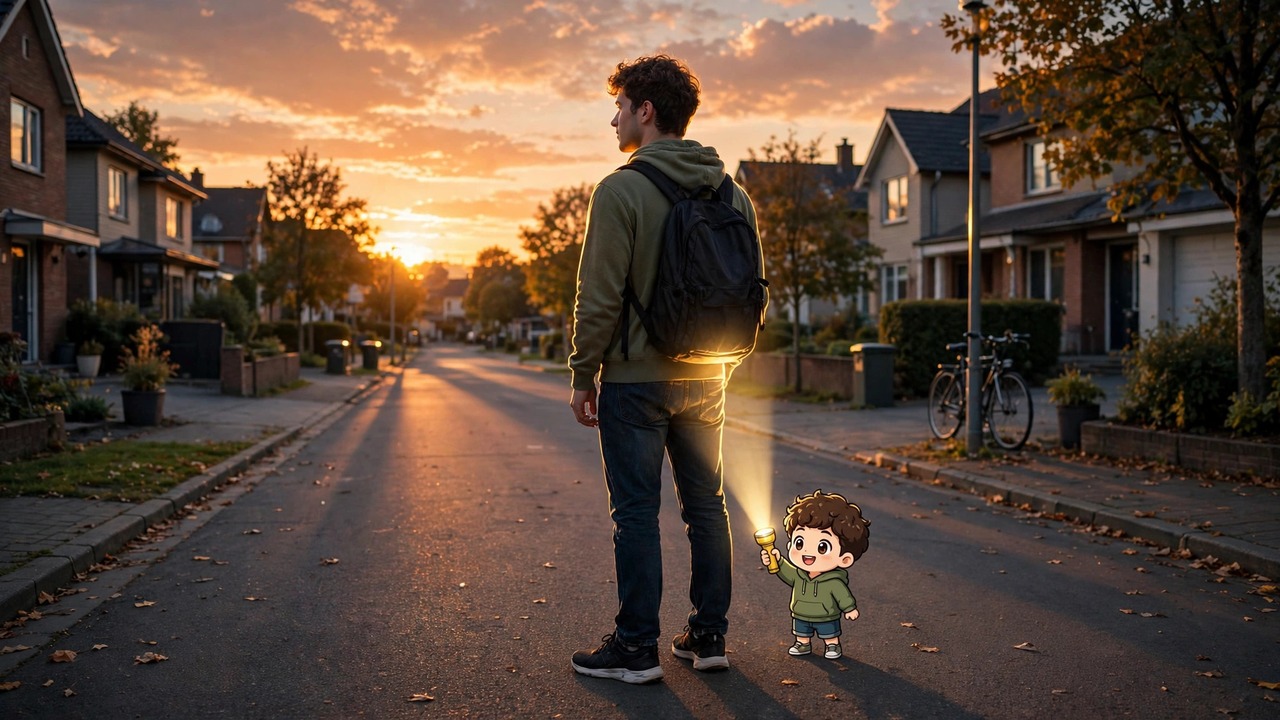
Prompt 1 — Dusk Street Glow
Edit this photo: place a tiny cute 3D cartoon version of me standing right behind me, holding a small flashlight pointed at my back. Add a warm cinematic rim light glowing around my hair, shoulders and outline, like a movie still shot at dusk. Keep my face, expression and clothes exactly the same. Photorealistic street background with soft bokeh lights, shallow depth of field.
My take: This is my favourite of the three. The dusk sky does half the work, and the glow looks so natural that people will ask who took your photo.
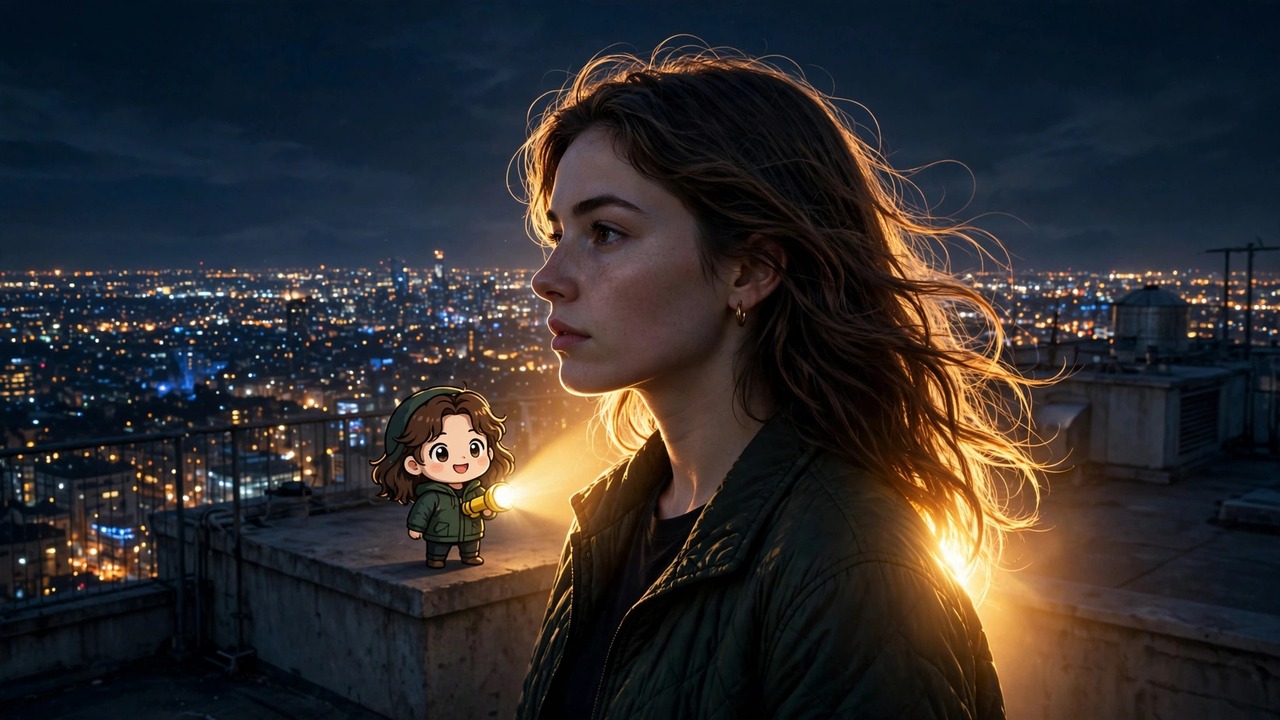
Prompt 2 — Night Rooftop Halo
Edit this photo: add a tiny adorable cartoon version of me standing behind me, shining a bright flashlight at my back. Wrap me in a dramatic halo of warm golden light against the dark night, with glowing edges on my hair. Keep my face and features 100% unchanged. Cinematic night portrait, city lights softly blurred in the distance.
My take: Go for this one if you want drama. The contrast between the dark night and the warm halo is what makes people stop scrolling.
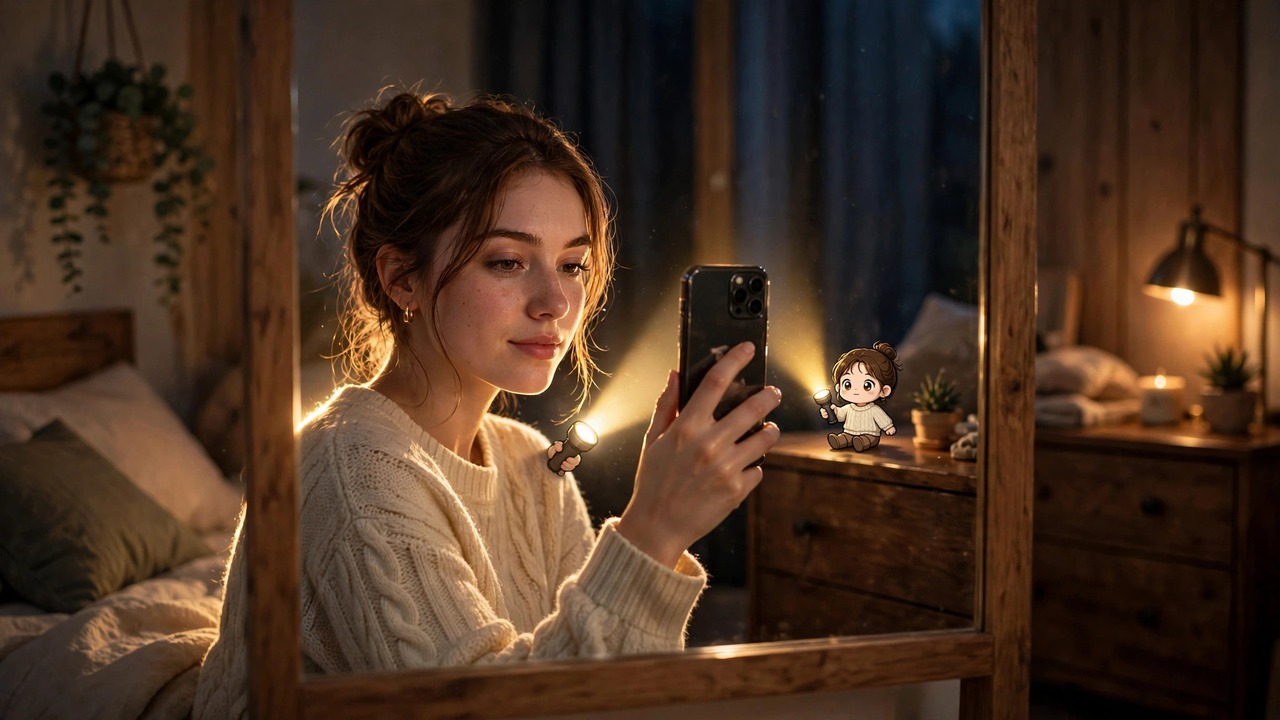
Prompt 3 — Cozy Indoor Glow
Edit this photo: put a tiny cute cartoon version of me on the furniture behind me, holding a small flashlight aimed at my back. Create a soft warm rim light around my silhouette in this dim indoor room. Do not change my face, skin tone or expression at all. Cozy evening mood, warm lamp tones, photorealistic.
My take: Perfect if you don’t have a nice outdoor photo. A simple bedroom selfie turns into something that looks straight out of a cosy film scene.
Quick Tips That Actually Help
Use a photo where your face is clearly visible. The AI keeps faces best when it can see them properly.
If the cartoon mini-you looks weird the first time, just generate again. Two or three tries and you’ll get a good one.
Portrait-style photos work great for Reels covers; the landscape versions suit feed posts.
Want it to look even more real? Ask the tool to match the original photo’s lighting and grain in a follow-up message.
Bookmark this page if you’re saving the idea for later — the Flash Light AI photo trend keeps evolving, and I’ll add new prompt styles here as I test them.
Flash Light AI Photo Trend FAQs
Q: Is the Flash Light AI photo trend free to try? A: Yes. Any AI image tool with photo editing can do it, including the free tiers of the popular ones. You only need one photo and one of the prompts above.
Q: Which photo works best? A: A clear, front-facing photo with your face visible. Busy backgrounds are fine — the AI handles them — but good lighting on your face gives the cleanest result.
Q: Will it change my face? A: It shouldn’t — every prompt above tells the AI to keep your face exactly the same. If a result drifts, regenerate; the face lock usually holds on the second try.
Q: Can I use these photos for my Reels cover or profile picture? A: Absolutely. That’s what most people are doing — the cinematic look makes a great cover photo.
That’s the whole Flash Light AI photo trend — one photo, one tiny cartoon assistant with a flashlight, and suddenly your feed looks like a film poster. Try all three prompts and see which mood fits you best.
If you liked this, you’ll love my Realistic Grass AI Photo Editing Prompts too — same idea, dreamy meadow magic. Happy creating!
About Pinky Chouhan
Hey, my name is Pinky Chouhan, and I live in India. I am passionate about discovering new AI trends, AI video tools, and social media content ideas. I also have experience in video and photo editing using tools like CapCut, Adobe, InShot, and VN. Over time, I have worked on many editing projects and enjoy experimenting with new creative techniques and AI-powered tools. I regularly share the latest AI trends, video prompts, and creative ideas on The Prompt Master. My goal is to provide simple and practical prompts that anyone can use to create engaging AI videos. Most of the prompts published on this website are designed to be easy to use. You can simply copy a prompt, paste it into Google Flow or a compatible AI video tool, and start creating your video. I will continue sharing new AI trends, useful prompts, editing tips, and creative ideas to help creators make better content and stay updated with the fast-changing world of AI.
1 thought on “Flash Light AI Photo Trend: 3 Prompts for Viral Glow Photos”