
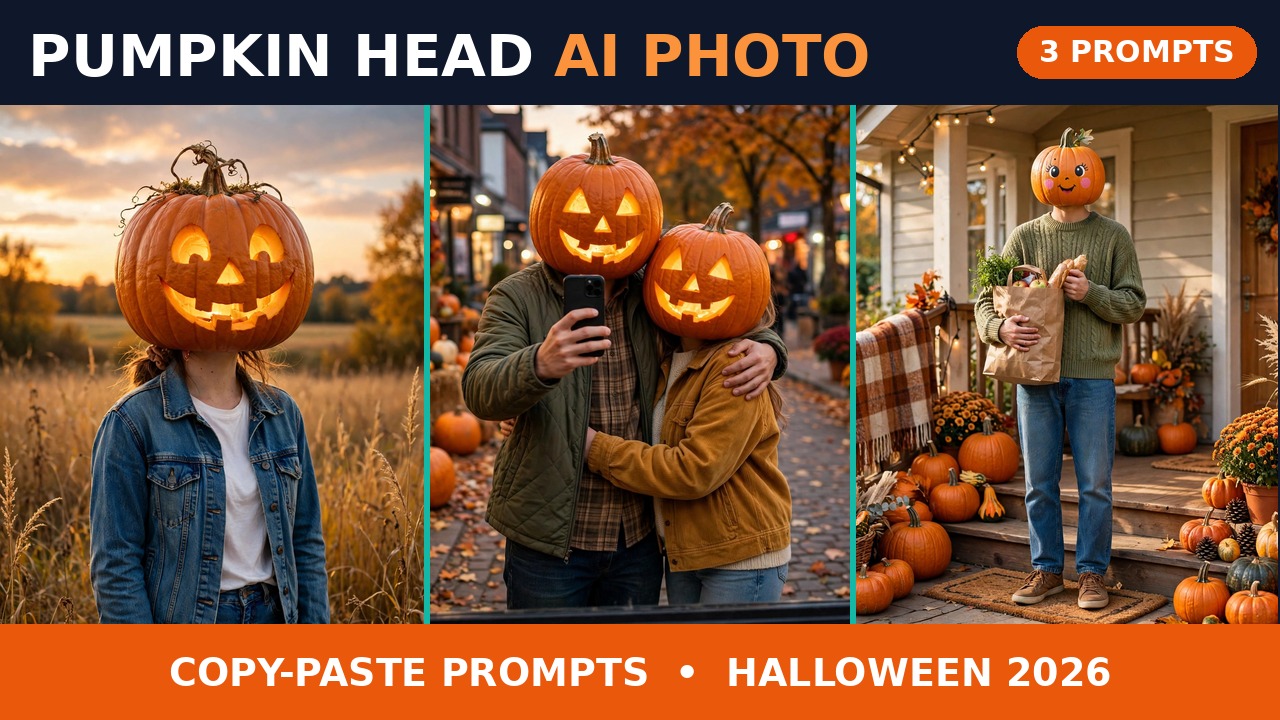
Every October, one Halloween photo idea takes over the feed, and this year it is the simplest one yet: keep everything about the photo exactly the same — your outfit, your pose, the place — and swap only your head for a pumpkin. No costume to buy, no makeup to wash off, no editing skills needed. Just one photo, one prompt, and suddenly you are standing in a field at dusk with a warm glow where your face used to be.
The format picked up real speed in October 2026. A Picsart SPOOKY Challenge carousel from 15 October showed a pumpkin-headed woman going about completely ordinary scenes — and that carousel alone drew 7.8K likes and 2.9K comments, which tells you how quickly people wanted to try it themselves. Around the same time, pumpkin-head guides and examples started appearing across MakeViral, Ricebowl and dev.to, all pointing at the same idea: the joke works because the rest of the photo stays so normal. A glowing pumpkin head is funny on its own. A glowing pumpkin head doing the grocery run is a story.
This pumpkin head ai photo trend is also easy to tell apart from the other Halloween posts on this site. My Catrina post is about sugar-skull face paint, my Chandramukhi post is a horror-heroine look, and my Ghostface post is a masked slasher costume. Here, nothing is painted on and nothing is worn over the face — the head itself is the pumpkin, and the outfit stays exactly what you were already wearing. That is the whole trick, and it is why the photos feel fresh instead of like another costume post.
One honest note before the prompts: the result images in this post are AI-generated approximations of what the prompts produce, not real output from your own reference photo. Your results will look like you, because they start from your photo — these examples start from an imagined person, so they show the idea, the framing and the mood, not your face.
Why This Trend Works So Well
Most Halloween photo trends ask a lot of the person in the photo. A full costume means planning, money and a mirror session before you even open the camera app. Face paint means an hour of careful work and a sink full of colour afterwards. This one asks for one thing: a decent photo of yourself. The AI does the pumpkin, the glow and the atmosphere, and you keep the clothes you actually own.
It also photographs well for a simple reason — contrast. A warm orange pumpkin against a dusky blue sky, a dark street or a green sweater pops in a feed full of grey autumn photos. The glow inside a carved pumpkin acts like a built-in light source, so even a plain phone photo comes out looking lit on purpose rather than lit by accident. And because the head is a pumpkin, the photo reads instantly at thumbnail size, which is exactly where most people will first see it.
The range helps too. The same idea can be spooky, romantic or completely silly depending on one choice: carved or painted. A carved jack-o-lantern with a warm light inside leans spooky and classic. A painted pumpkin with a cute face leans sweet and funny, and it is the version that works best for family photos, couple photos and anyone who wants Halloween without anything scary in it. All three prompts below cover that range, so pick the mood that fits you.
How to Make It in 5 Steps
1. Pick one clear photo of yourself. Front-facing or three-quarter, face fully visible, good light, no sunglasses. The tool needs to see your outfit and your build clearly, because those are the parts it has to keep.
2. Open any AI image tool that accepts a reference photo. The prompts below are tool-agnostic — paste them wherever you normally generate images from a photo.
3. Upload your photo first, then paste the prompt. Order matters: the tool reads the uploaded photo as the person, and the prompt as the instruction for what to change. If you paste first and upload second, some tools treat the photo as a style reference instead.
4. Keep the identity lines untouched. Every prompt below says, in plain words, to keep your outfit, body and pose and change only the head. If a result changes your clothes or your body shape, paste the prompt again rather than editing the result — a fresh generation holds the identity better than a fix.
5. Use only your own photo — or a photo you have clear permission to use. This format replaces someone’s head, which makes permission more important, not less. Never use a stranger’s photo, and never use a celebrity’s photo. Your own selfie is the right starting point, and it is the one that will look most like you anyway.
Prompt 1: The Glowing Jack-o’-Lantern at Dusk
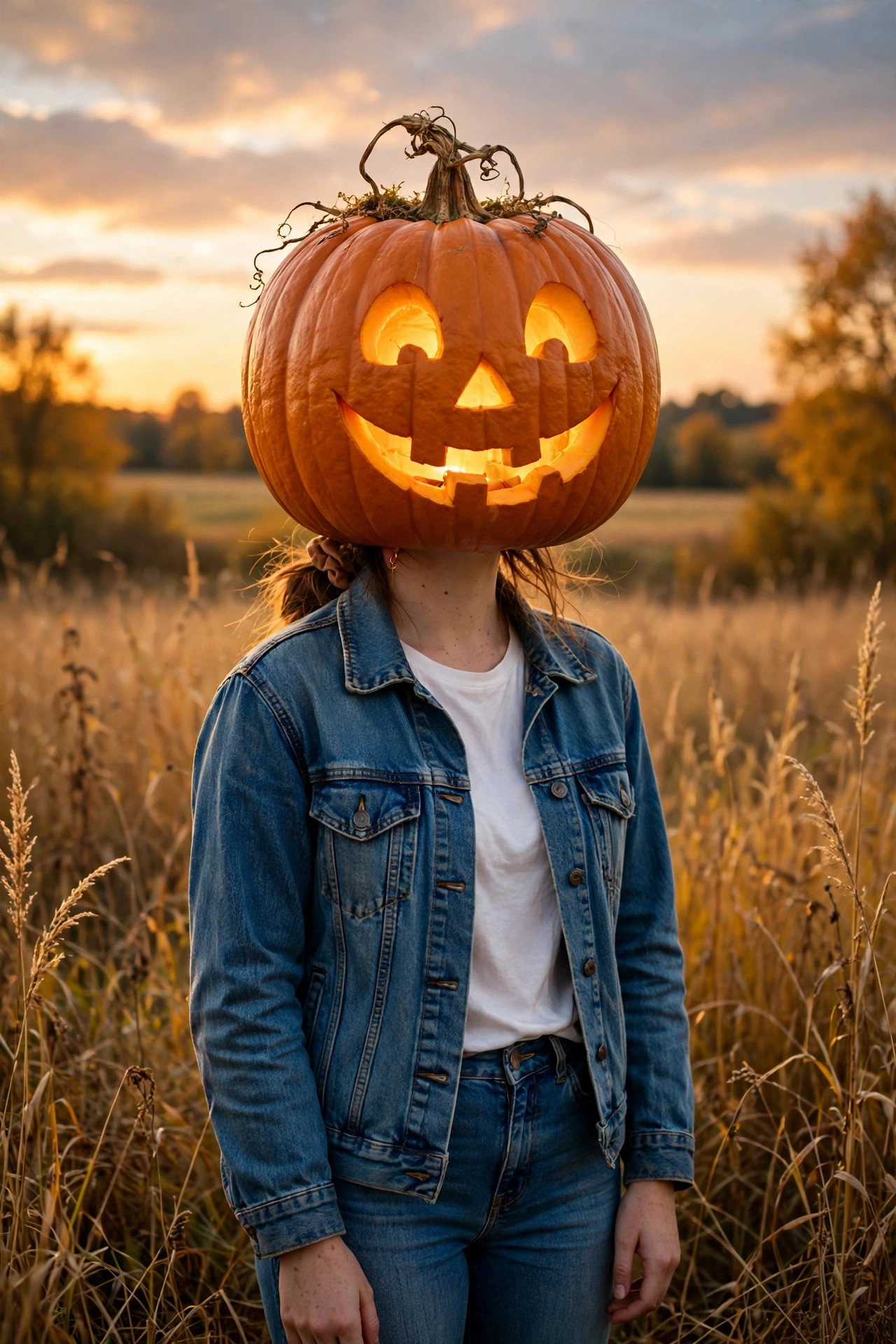
The classic version, and the one to make first. One person, one field, one glowing pumpkin head against a sunset sky. The warm light inside the pumpkin does all the atmosphere work, so the rest of the photo can stay simple — your normal jacket, your normal jeans, an ordinary field. It is the single most shareable version of the trend, because it needs no explanation: anyone scrolling past understands it in one second.
Using AI image generation, transform the uploaded photo of the person into a Halloween portrait.
The person: keep the person exactly as in the uploaded photo — same body, same pose, same outfit (denim jacket over a white top and jeans), same hairstyle visible below the pumpkin. Change ONLY the head.
The head: replace the head completely with one large, realistic carved jack-o-lantern pumpkin, with a friendly carved smile and warm glowing light shining from inside the pumpkin through the carved eyes and mouth.
The scene: place the person standing in a golden autumn field at dusk, soft sunset sky, tall dry grass, warm evening light, photorealistic, cozy Halloween mood, playful and not scary. No blood, no gore, no text, no logos, no watermarks.
Dusk is doing half the work here. The same pumpkin head at noon looks like a joke prop; at dusk, with the sky going soft and the pumpkin glowing from inside, it looks like a photograph someone meant to take. If your first attempt comes out too bright or too flat, add nothing — just regenerate with the word “dusk” kept in, and let the light do its job.
Prompt 2: The Matching Couple Mirror Selfie
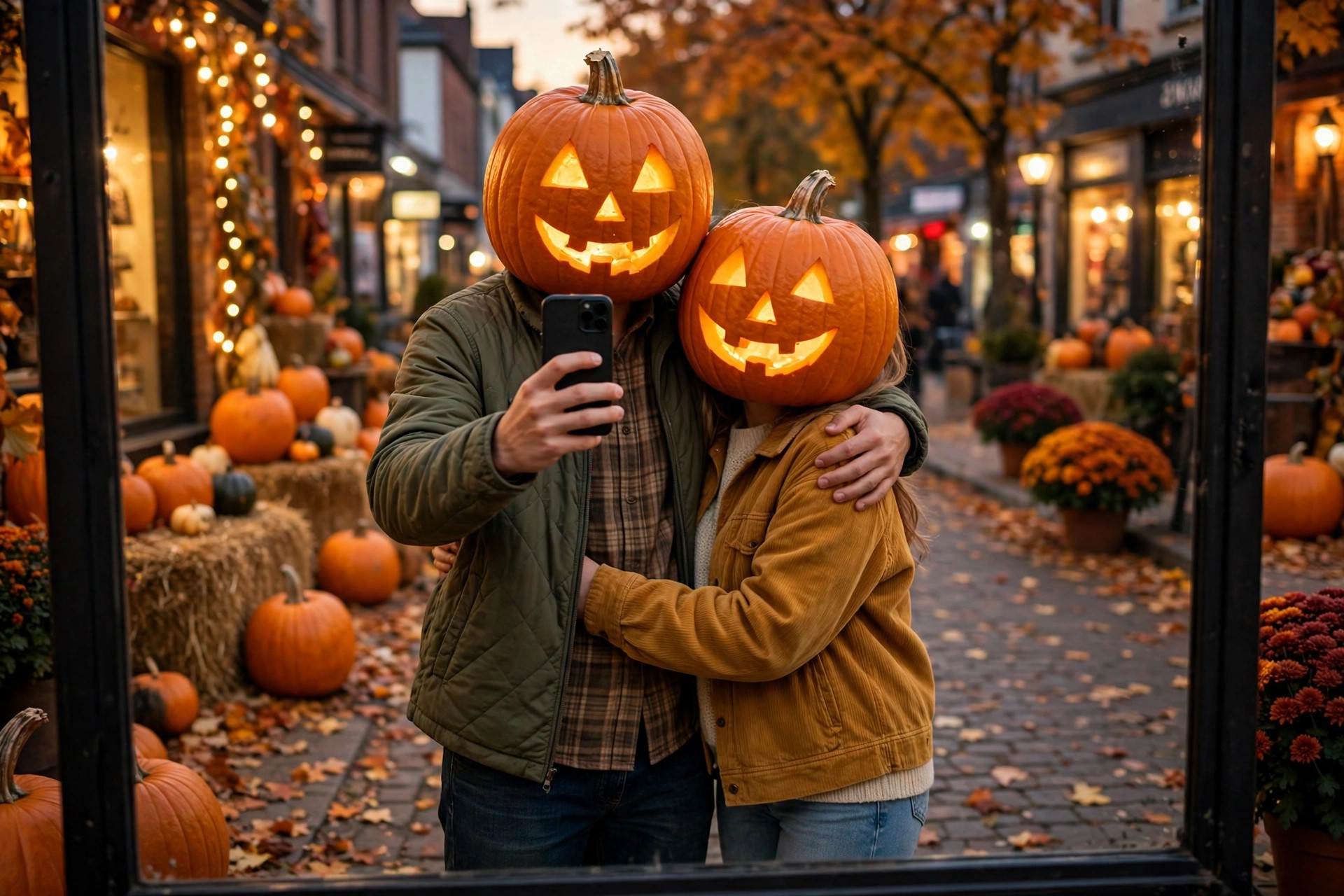
The couple version, and the one that gets the most comments. Two people, two matching carved pumpkins, one mirror selfie on an autumn street. The matching heads are the joke — two people who dressed their heads alike for the evening — and the mirror frame makes it feel like a real night out rather than a studio edit. It works for couples, best friends and siblings; the prompt says “couple” only because that is the most common version, so swap in whoever you are actually photographing with.
Using AI image generation, transform the uploaded photo of two people into a playful Halloween mirror selfie.
The people: keep both people exactly as in the uploaded photo — same bodies, same poses, same casual autumn outfits, standing close together, one holding a phone up for a mirror selfie. Change ONLY their heads.
The heads: replace each head completely with a carved glowing jack-o-lantern pumpkin, the two pumpkins matching in size and carving style, both with friendly carved smiles and warm light glowing from inside.
The scene: an autumn street at evening, shopfronts with warm lights, pumpkins and fallen leaves around, seen as a reflection in a shop window or mirror, photorealistic, fun and playful, not scary. No blood, no gore, no text, no logos, no watermarks.
Matching matters more than perfect carving. If the two pumpkins look like strangers — one huge, one tiny, one grinning, one frowning — the photo loses the “we did this together” feeling that makes it charming. The prompt locks the size and style together on purpose. If a generation drifts, regenerate rather than accepting a mismatched pair.
Prompt 3: The Cute Everyday Porch Scene
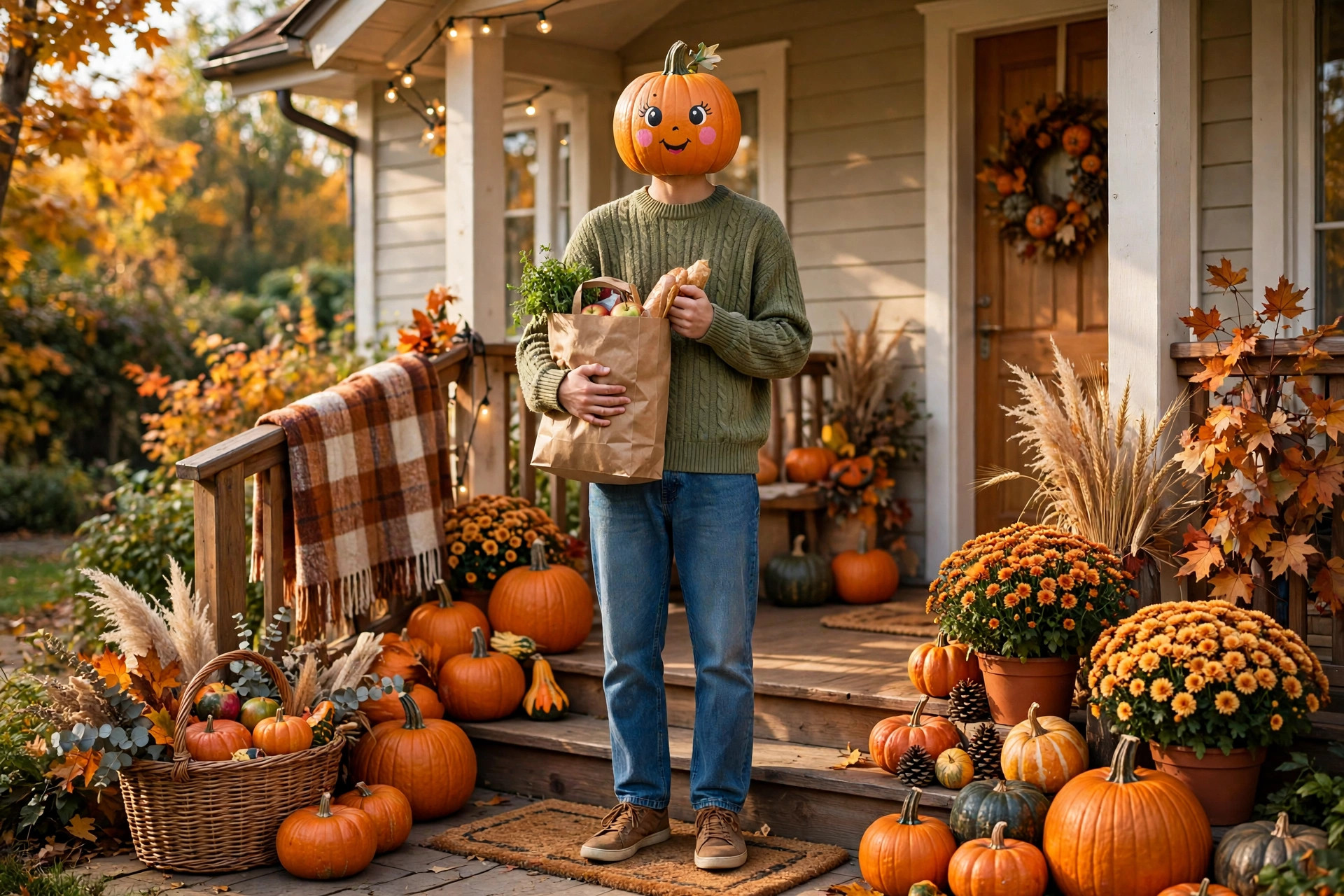
The version for everyone who wants Halloween without anything spooky in it. No carving, no glow, no grin — just a small painted pumpkin with a cute face, worn as a head, while the person does something completely ordinary: coming home with groceries, standing on a porch covered in pumpkins. The humour is the contrast. The porch is real life; the head is not, and nobody in the photo seems to find that strange.
Using AI image generation, transform the uploaded photo of the person into a cute everyday Halloween scene.
The person: keep the person exactly as in the uploaded photo — same body, same pose, same cozy sweater and jeans, standing on a front porch and holding a paper grocery bag. Change ONLY the head.
The head: replace the head completely with one small, round pumpkin with a cute painted face — big friendly eyes, pink cheeks, a small smile — painted on, not carved, with no light glowing from inside.
The scene: a cozy house porch decorated for autumn — pumpkins on the steps, potted autumn flowers, string lights, warm daylight, photorealistic, cheerful and cute, completely non-scary. No blood, no gore, no text, no logos, no watermarks.
Painted beats carved for this one, every time. A carved, glowing pumpkin on a grocery run looks like a horror short film; a painted one looks like a joke between friends. If your result comes out darker than you wanted, check one word — “painted” — because that single word is what keeps the whole photo in the cute lane instead of the spooky one.
Tips That Actually Help
Start with a boring photo. A plain, well-lit photo of you standing still gives the tool the cleanest material to work from. A dramatic pose or a busy background gives it more to guess at, and guessing is where outfits change and bodies shift. Boring input, good output.
Generate the head big. A pumpkin head that is too small looks like a hat, and a hat is a different trend entirely. The prompts above all say “large” or describe the pumpkin as a full head replacement for a reason — the pumpkin should sit where your head sat, at roughly head size or a little bigger, not perched on top of it.
Try the cute version before posting the spooky one. Not because the spooky one is wrong, but because the cute one is the safest test of whether the tool held your outfit and pose. If the painted porch photo keeps your sweater and your stance, the glowing dusk photo from the same tool almost certainly will too.
Post the story, not just the photo. “Head: pumpkin. Errands: still mine.” — one line like that, in your own words, tells people why the photo is funny instead of leaving them to guess. The trend works because the rest of life carries on normally around an impossible head, so say the normal part out loud.
Frequently Asked Questions
Do I need a costume for this trend?
No, and that is the point. Your everyday outfit stays exactly as it is — the only change is the head. A costume would actually weaken the joke, because the humour comes from an ordinary person with an impossible head, not from a dressed-up character.
Which version should I make first?
Start with the glowing portrait at dusk. It is the simplest setup, it shows the idea most clearly, and it is the version most people recognise instantly. Once that works, the couple selfie and the porch scene are easy variations on the same instruction.
Why does my result show a pumpkin hat instead of a pumpkin head?
That happens when the tool keeps your face and places a pumpkin on top of it. The fix is in the wording: the prompts above say “replace the head completely” rather than “wear a pumpkin.” If a generation still shows your face, paste the prompt again with that line kept in — do not try to paint over the result.
Can I use this with a group photo?
Yes, but expect more variation. Every extra person is another head the tool has to replace while holding everyone else steady, so group results drift more than solo ones. If the group version keeps coming out uneven, make the solo version first, then try two people, and build up from there.
Is it okay to use someone else’s photo for this?
Only with their clear permission. Replacing someone’s head — even with something as harmless as a pumpkin — is still using their image, and a joke that lands for you can feel very different to the person in the photo. Your own selfie, or a friend’s photo they gave you for exactly this, is the right starting point.
Final Words
Halloween trends usually ask you to become someone else for a night. This one lets you stay exactly yourself — same jacket, same street, same grocery bag — with one gloriously ridiculous change. Make a pumpkin head ai photo before 31 October, while the feed is still full of them, and post the version that made you laugh first. That is usually the one everyone else laughs at too.
If you enjoy Halloween formats, my Catrina post covers the painted-skull look and my Zombie Love Story post covers a zero-gore couple version — both very different from a pumpkin head, and both worth a look before the night itself. New formats land in the trending collection every week. If you want to explore AI image tools further, this Google Flow guide is a good place to start.
About Pinky Chouhan
Hey, my name is Pinky Chouhan, and I live in India. I am passionate about discovering new AI trends, AI video tools, and social media content ideas. I also have experience in video and photo editing using tools like CapCut, Adobe, InShot, and VN. Over time, I have worked on many editing projects and enjoy experimenting with new creative techniques and AI-powered tools. I regularly share the latest AI trends, video prompts, and creative ideas on The Prompt Master. My goal is to provide simple and practical prompts that anyone can use to create engaging AI videos. Most of the prompts published on this website are designed to be easy to use. You can simply copy a prompt, paste it into Google Flow or a compatible AI video tool, and start creating your video. I will continue sharing new AI trends, useful prompts, editing tips, and creative ideas to help creators make better content and stay updated with the fast-changing world of AI.